Intro to Data Analytics
Storytelling with data comes with responsibility.
It’s easy to manipulate perception through design choices.
Consider crime maps in major cities: If only raw crime numbers are displayed, high-population areas will always appear as the most dangerous. However, normalizing by population density or comparing trends over time provides a more accurate story.
Every visualization carries an implicit argument, whether we acknowledge it or not. Ask:
Great visualizations don’t just present data—they invite dialogue.
More dplyr and ggplot basics. Learning outcomes:
Know how to summarize data in tables and plots.
Know how to use categorical and numerical data in plots.
Then, moving on to data wrangling: reshaping data (Ch 11) and table joins (Ch 12)
Then more visualization and statistical analysis
Exploratory Data Analysis!
“A state of mind”
Generate questions about your data.
Search for answers by visualizing, transforming, and modelling your data.
Use what you learn to refine your questions and/or generate new questions.
Exploratory Data Analysis refers to the critical process of performing initial investigations on data so as to discover patterns,to spot anomalies,to test hypothesis and to check assumptions with the help of summary statistics and graphical representations.
Learn more: What is EDA?
What type of variation occurs within my variables?
What type of covariation occurs between my variables?
Summarizing data
Summary statistics
Univariate plots (geom_line, distribution plots)
Bar plots
Understanding relationships between variables
Understanding and comparing distributions
What are the geoms we have used so far?
Basic components
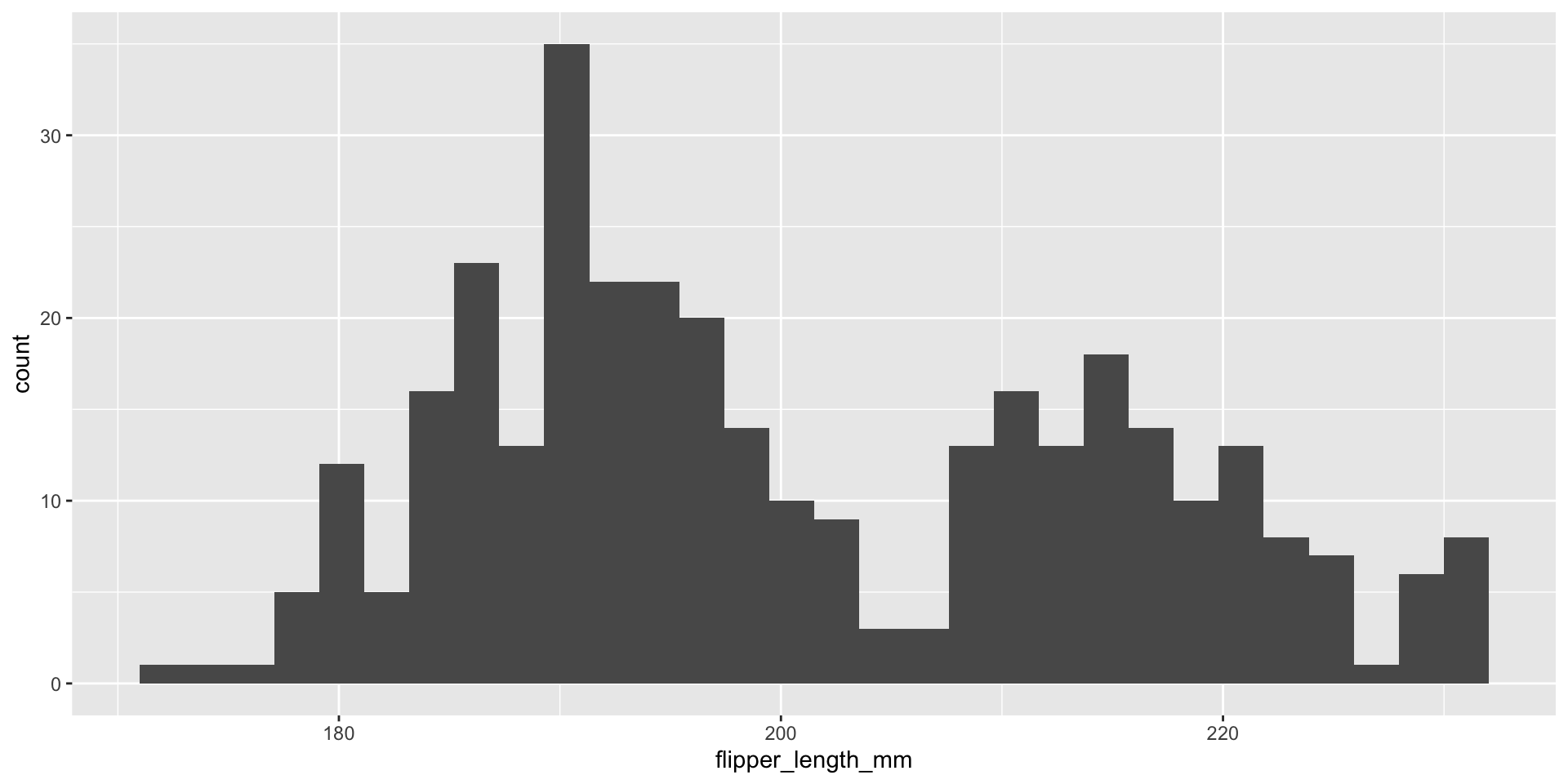
geom_* can have more than one on a plotaes() connects data properties and graph features – what must go in there and what can go in there depends on the geometry being used.Histogram: numeric data, across a range of values on the x-axis.
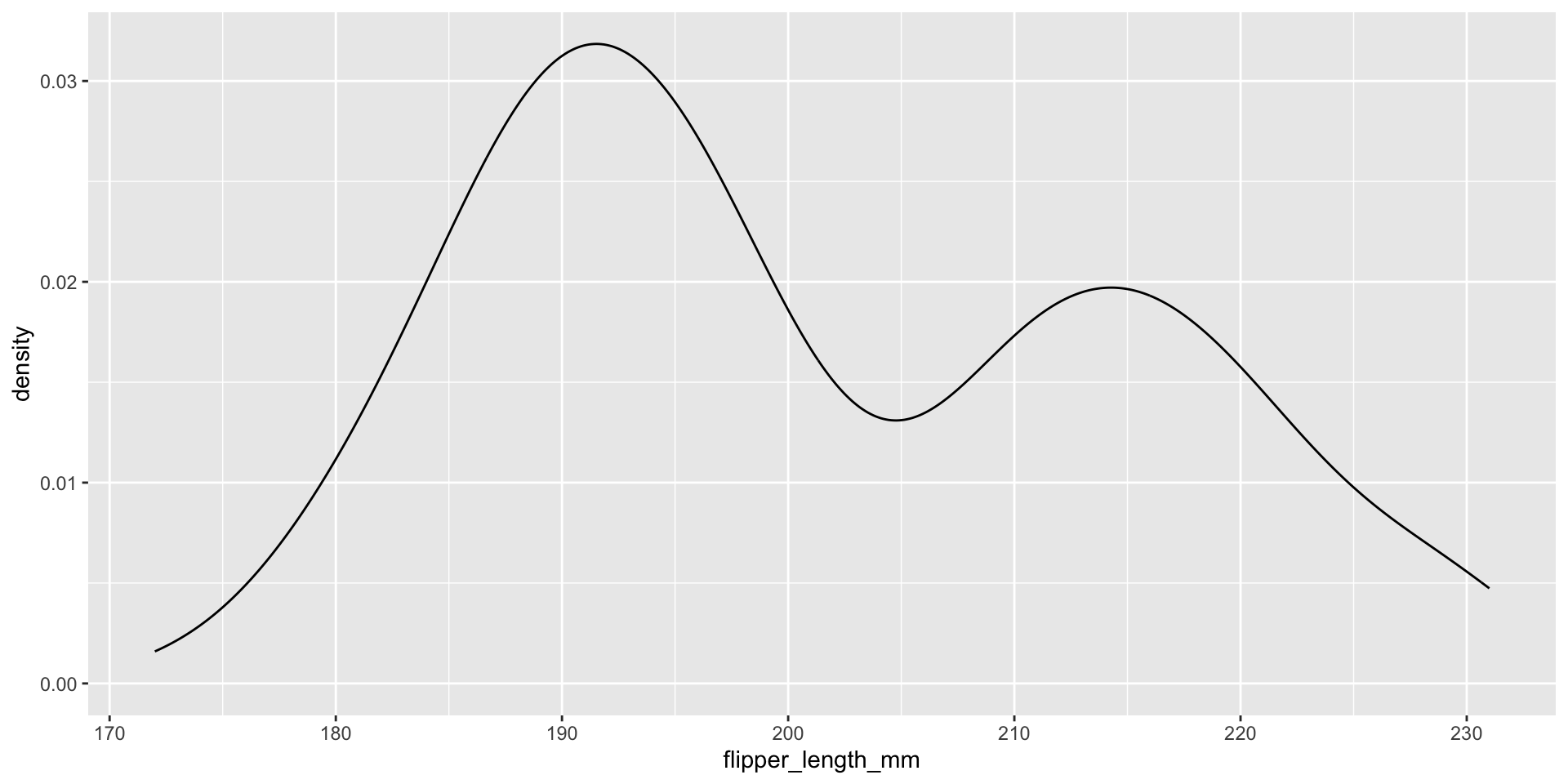
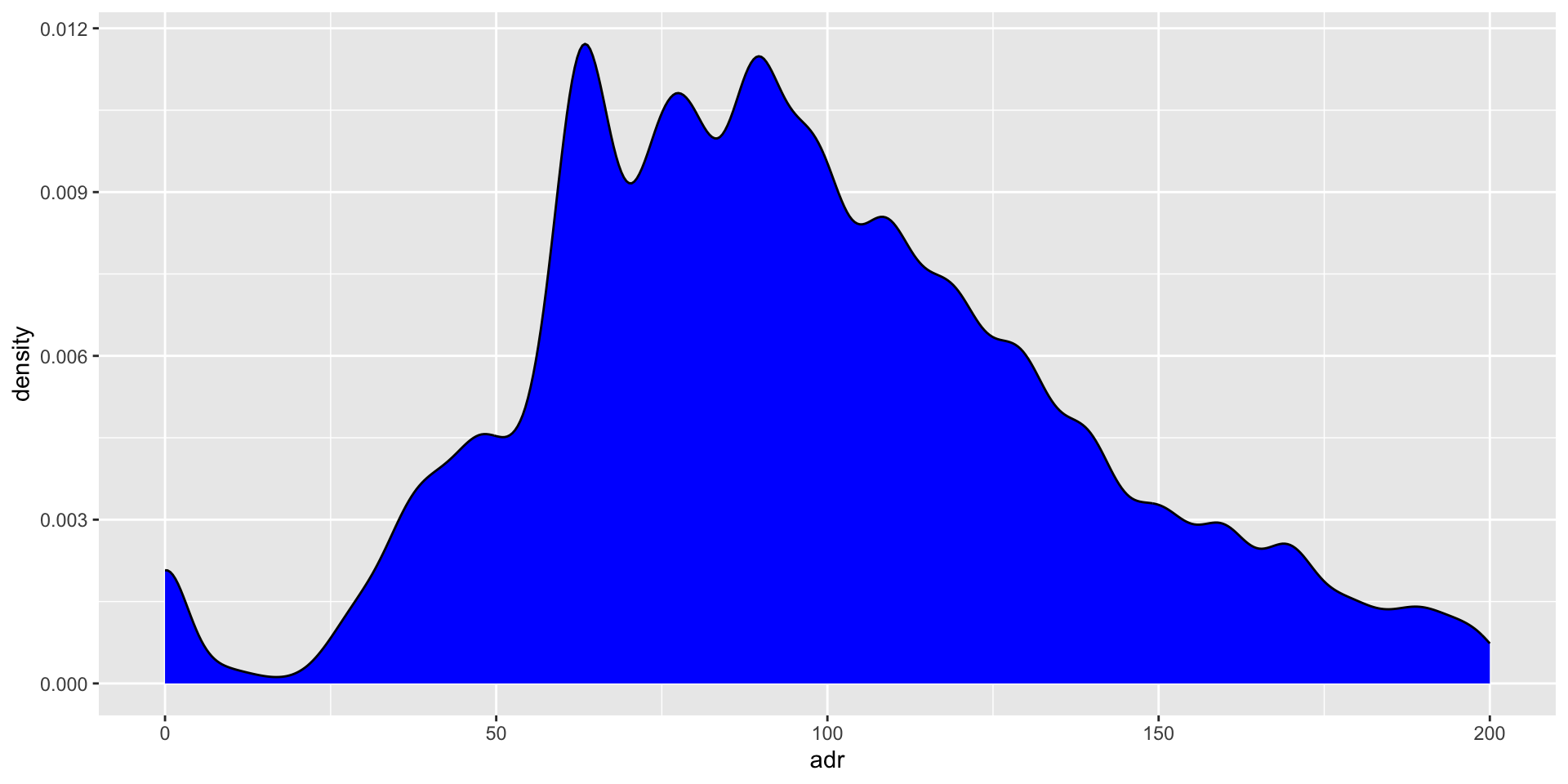
Smooth density plot: numeric data, x-axis is numbers, y-axis is proportion of the whole
Bar chart: categorical data, the x-axis is categories
Summarizing the distribution of a variable
Do the lengths of flippers vary across different species of penguins? Let’s first try to understand the distribution penguin flipper length.
First, let’s load a new package palmerpenguins:
Smooth density plot: numeric data, x-axis is numbers, y-axis is proportion of the whole.
A density plot is a smooth curve that shows the proportion of data in each range. The height of the curve indicates the proportion of data in that range, not how many times a value appears.
Mean = average of the values, central tendency measure
Median = middle value of the set, central tendency measure
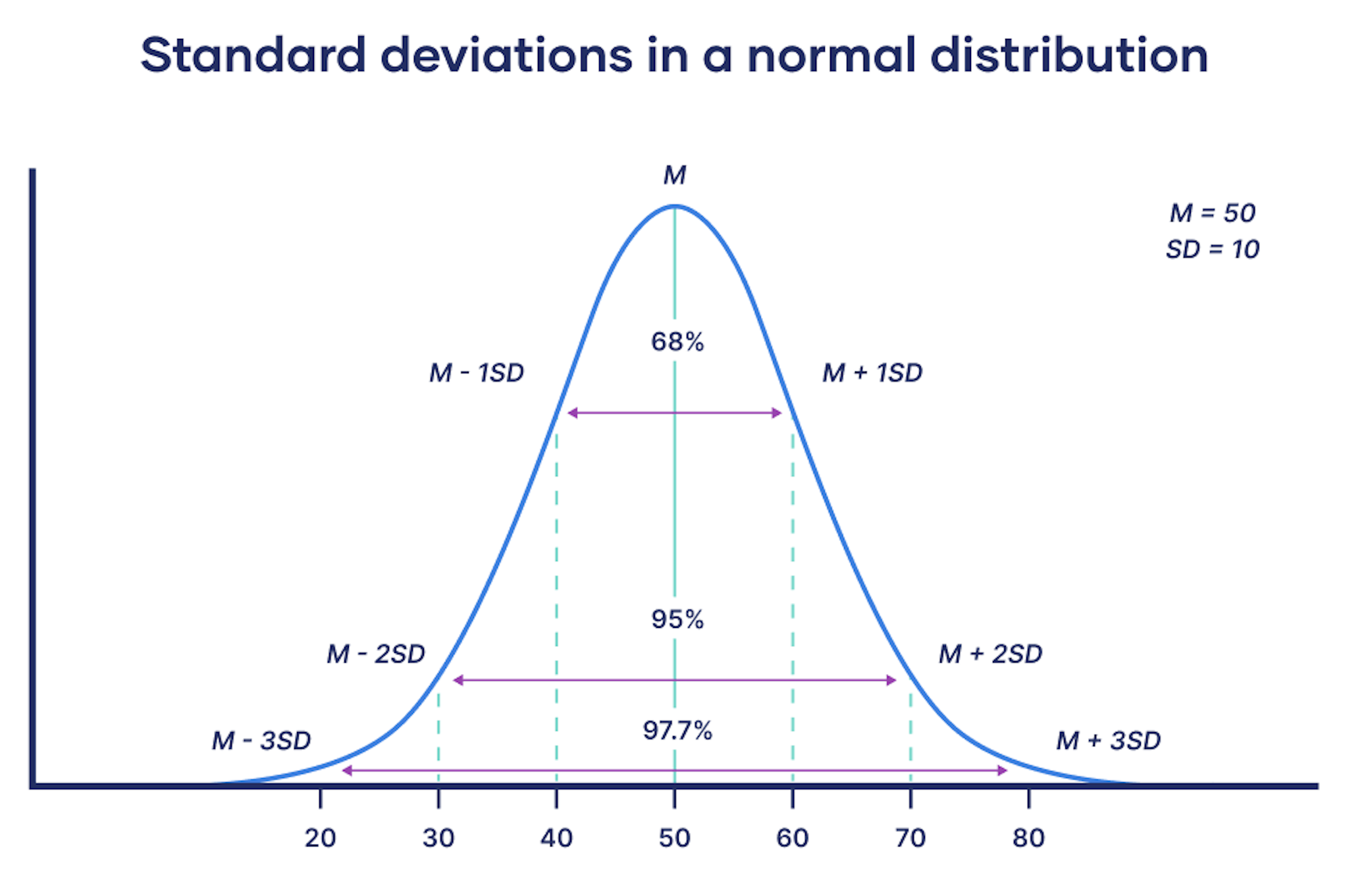
Standard deviation = Spread or variability in numerical variable
Sometimes the median and mean aren’t enough to understand a data set. Are most of the values clustered around the median? Or are they clustered around the minimum and the maximum with nothing in the middle? When you have questions like these, distribution plots are your friends.
Learn more: https://flowingdata.com/2012/05/15/how-to-visualize-and-compare-distributions/
mean), median (median), mode (not always useful)range), standard deviation (sd), inter-quartile range (IQR)Load the hotels data
Calculating summary statistics
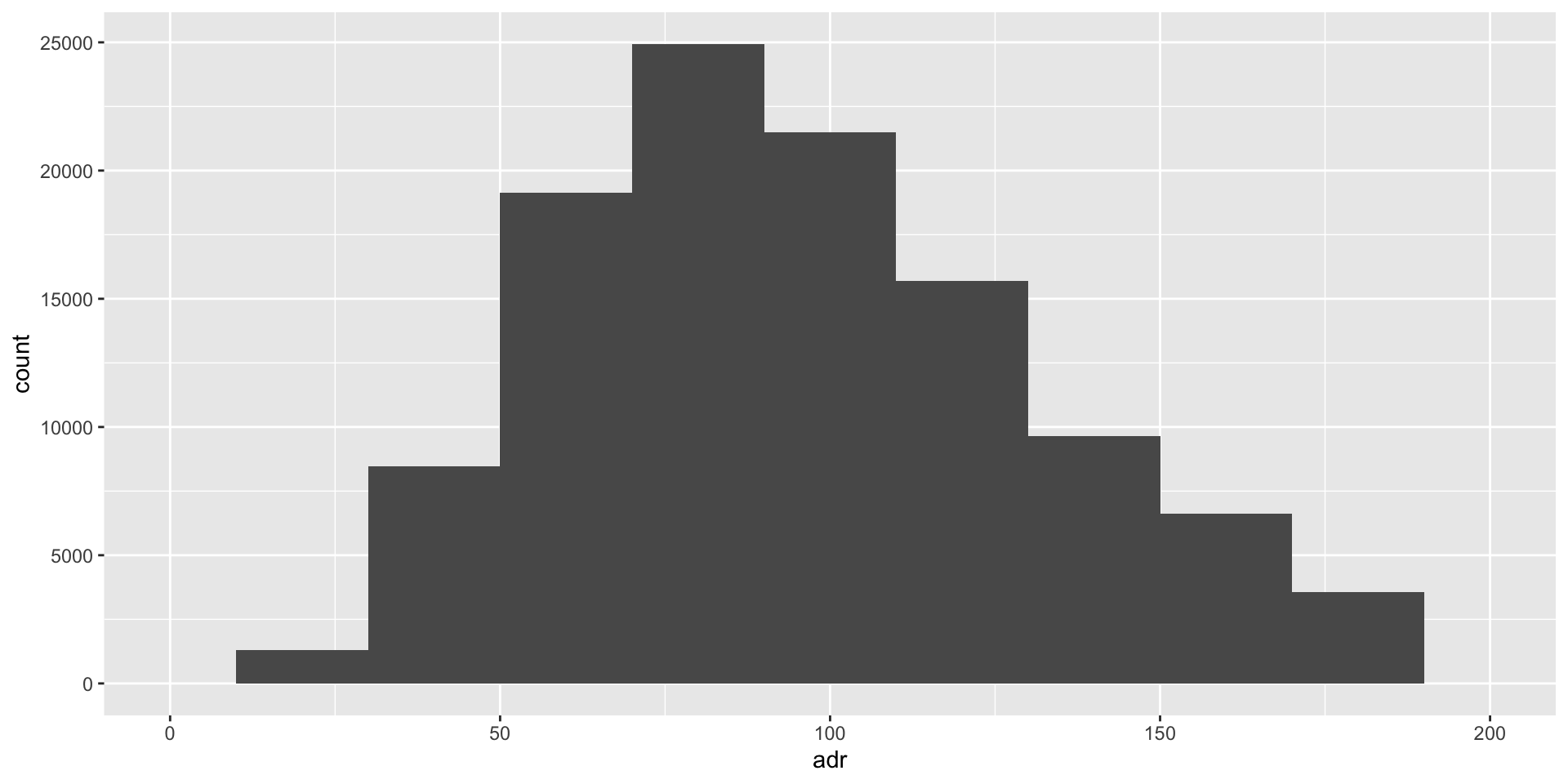
What is the mean & standard deviation for hotels$adr?
# A tibble: 1 × 2
average standard_deviation
<dbl> <dbl>
1 104. 107.
adr is the average daily rate for a hotel booking
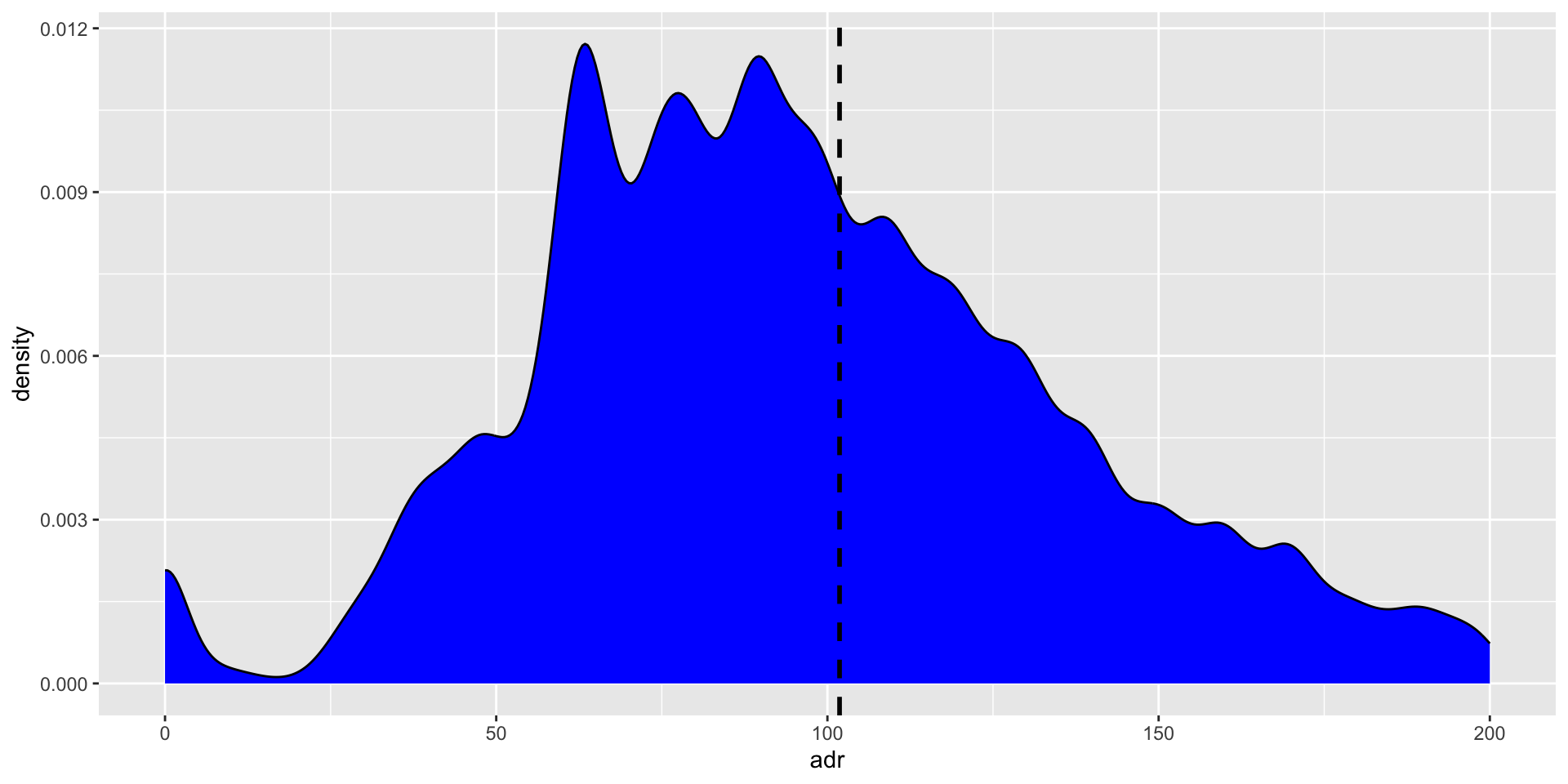
Add a marker at the mean with geom_vline
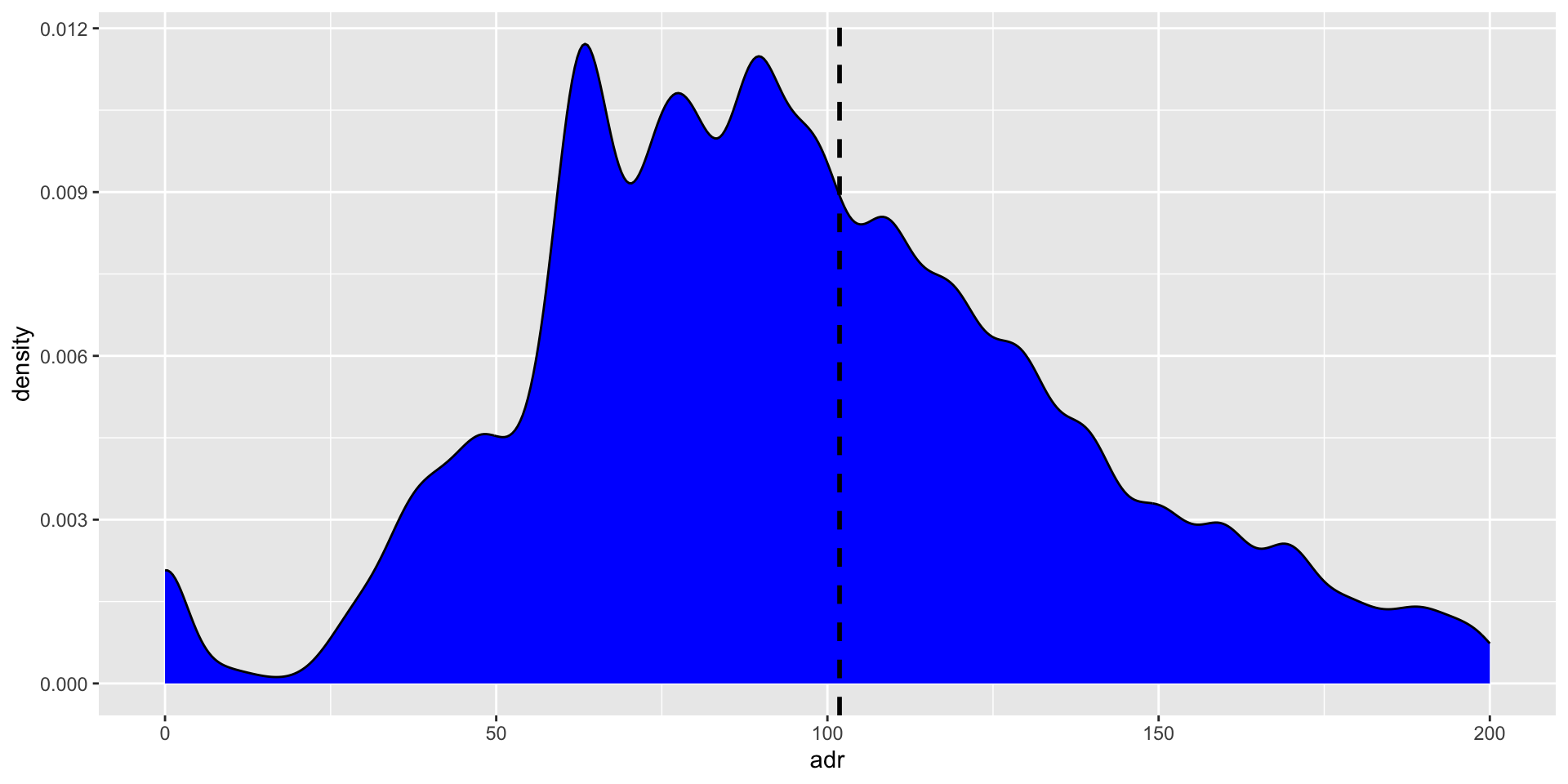
Add a marker at the mean
The mean is the most frequently used measure of central tendency because it uses all values in the data set to give you an average.
Try adding a marker at the median
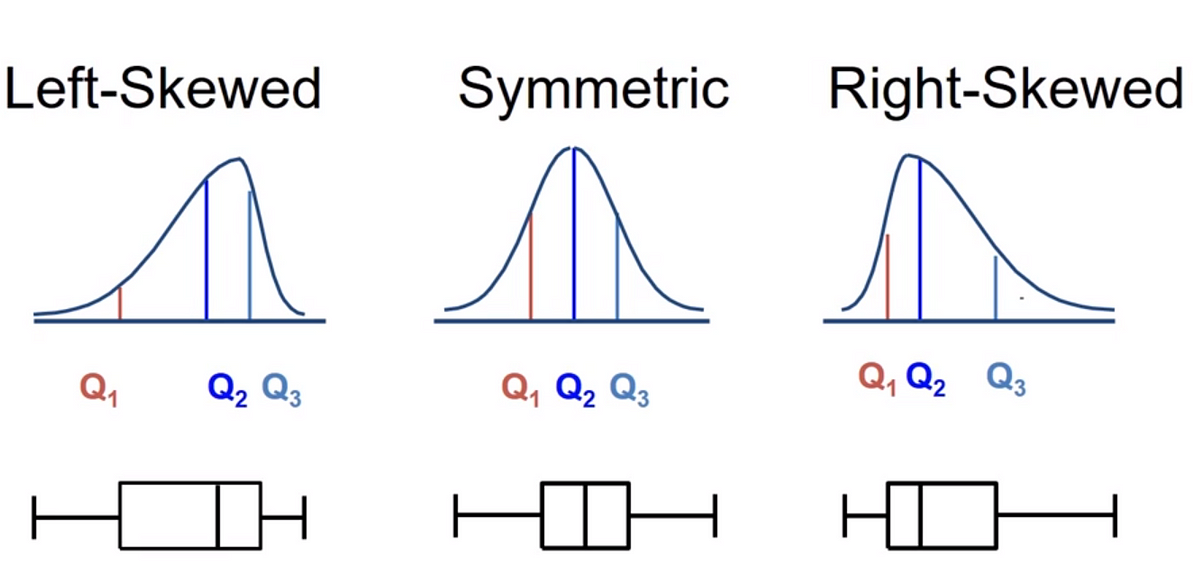
For data from skewed distributions, the median is better than the mean because it isn’t influenced by extremely large values.
For each value in the data set, we compute its deviation from the mean
\[ x_i - \bar{x} \]This will generate some negative and some positive values, so to get them to be positive we square them.
Then, add these up to compute the average deviation, or sample variance:
\[s^{2}= ∑(x_i−\bar{x})^2 / n-1\]
Take the square root to get the standard deviation: \[s\]
Let’s try this out in R
Calculate step-by-step
calc_standard_deviation <- test %>%
mutate(deviation_from_mean = nums - mean(nums),
deviation_squared = deviation_from_mean^2) %>%
summarize(sum_deviation_squared = sum(deviation_squared),
s2 = sum_deviation_squared/(17-1), # See formula for s-squared on previous slide
sd = sqrt(s2))
calc_standard_deviation sum_deviation_squared s2 sd
1 3672 229.5 15.14926