More aesthetics and facets

Intro to Data Analytics

ggplot aesthetics

Reminders: ggplot2 aesthetics

  • Aesthetic characteristics can be mapped to variables
    • color
    • shape
    • size
    • alpha (transparency)

Reminders: ggplot2 aesthetics

  • Aesthetics as mapping
    • Determines size, color, etc. based on variables in the data
    • Goes inside aes( )
  • Aesthetics as setting
    • Determines size, color, etc. based on fixed values, e.g, don’t depend on the values of variables.
    • Goes inside geom( )

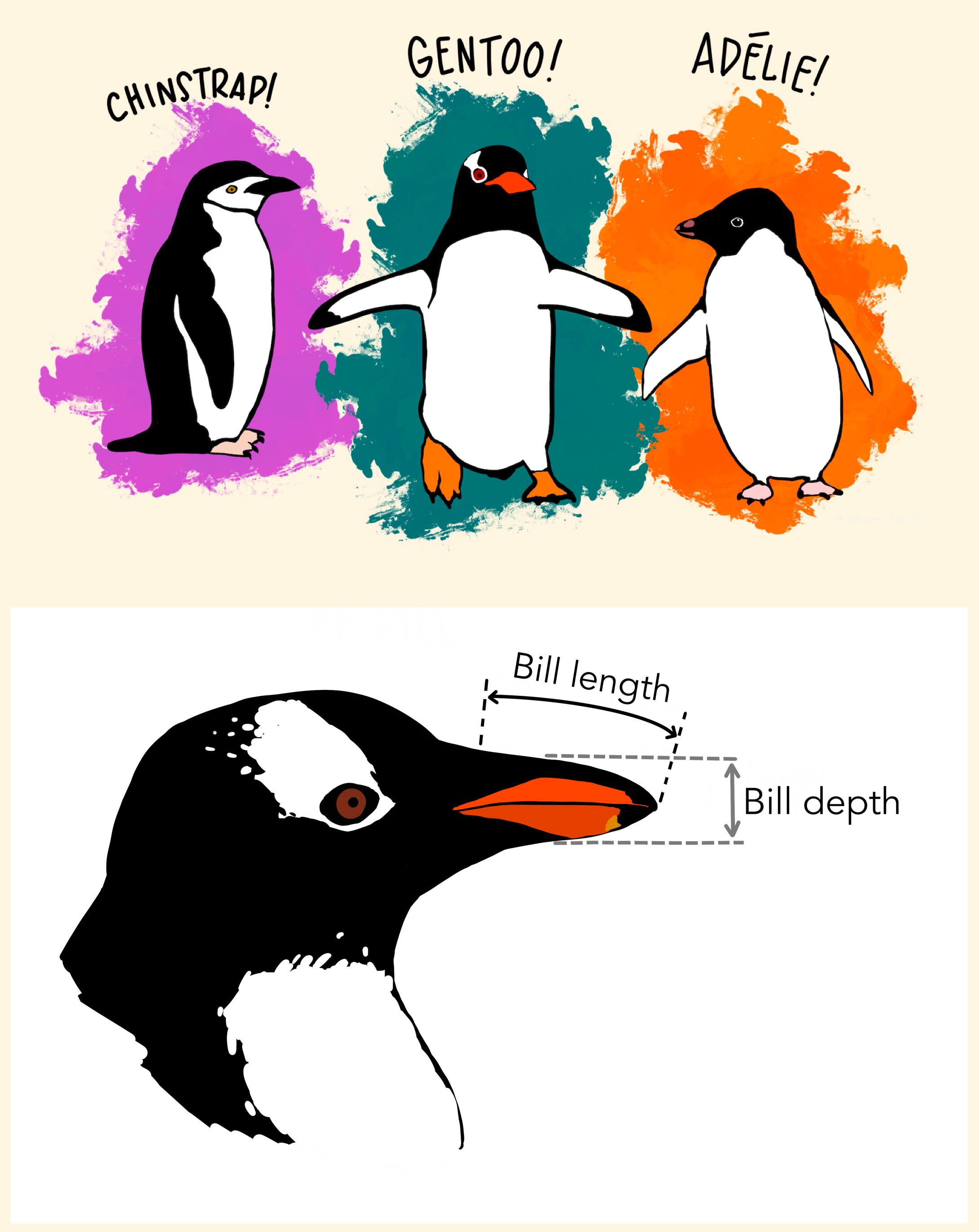
Data: Palmer Penguins

Measurements for penguin species, island in Palmer Archipelago, size (flipper length, body mass, bill dimensions), and sex.

Rows: 344
Columns: 8
$ species           <fct> Adelie, Adelie, Adelie, Adelie, Adelie, Adelie, Adel…
$ island            <fct> Torgersen, Torgersen, Torgersen, Torgersen, Torgerse…
$ bill_length_mm    <dbl> 39.1, 39.5, 40.3, NA, 36.7, 39.3, 38.9, 39.2, 34.1, …
$ bill_depth_mm     <dbl> 18.7, 17.4, 18.0, NA, 19.3, 20.6, 17.8, 19.6, 18.1, …
$ flipper_length_mm <int> 181, 186, 195, NA, 193, 190, 181, 195, 193, 190, 186…
$ body_mass_g       <int> 3750, 3800, 3250, NA, 3450, 3650, 3625, 4675, 3475, …
$ sex               <fct> male, female, female, NA, female, male, female, male…
$ year              <int> 2007, 2007, 2007, 2007, 2007, 2007, 2007, 2007, 2007…

Plot

Code

Coding out loud

Start with the penguins data frame

ggplot(data = penguins) 

Start with the penguins data frame, map bill depth to the x-axis
ggplot(data = penguins,
       mapping = aes(x = bill_depth_mm)) 

Start with the penguins data frame, map bill depth to the x-axis, bill length to the y-axis.
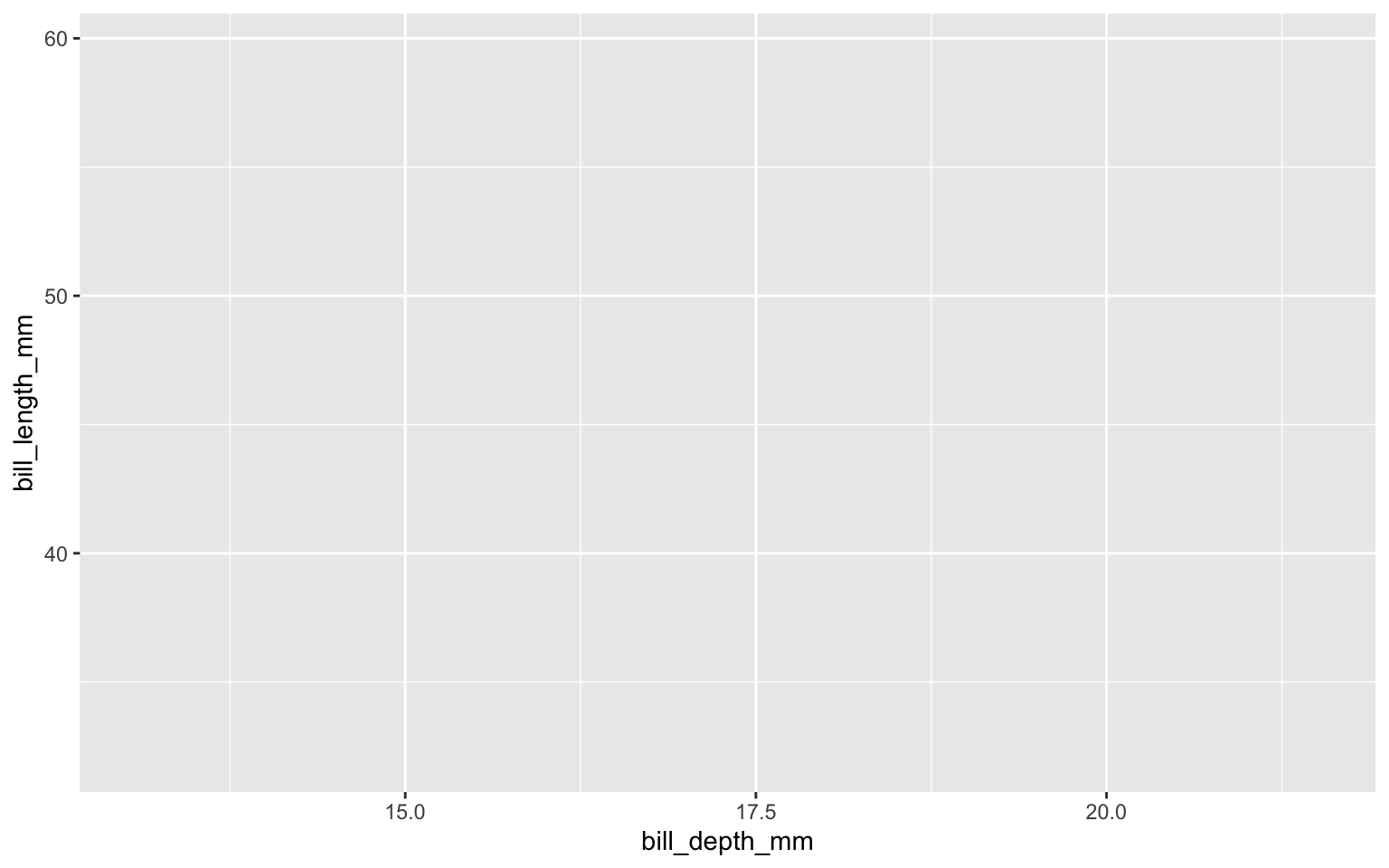
ggplot(data = penguins,
       mapping = aes(x = bill_depth_mm,
                     y = bill_length_mm)) 

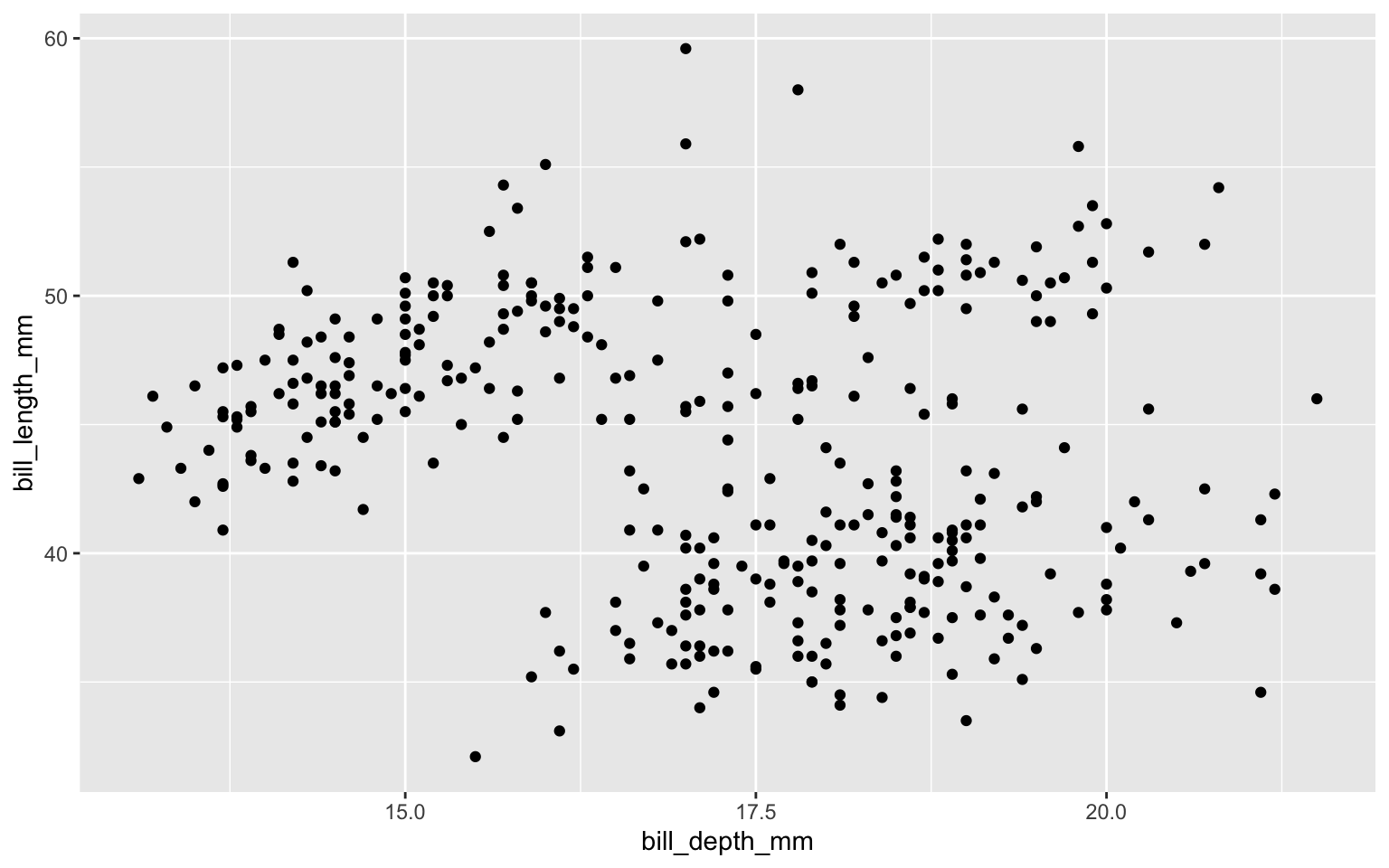
Add scatter plot

ggplot(data = penguins,
       mapping = aes(x = bill_depth_mm,
                     y = bill_length_mm)) + 
  geom_point() 

Color based on species (map species to the color of each point).
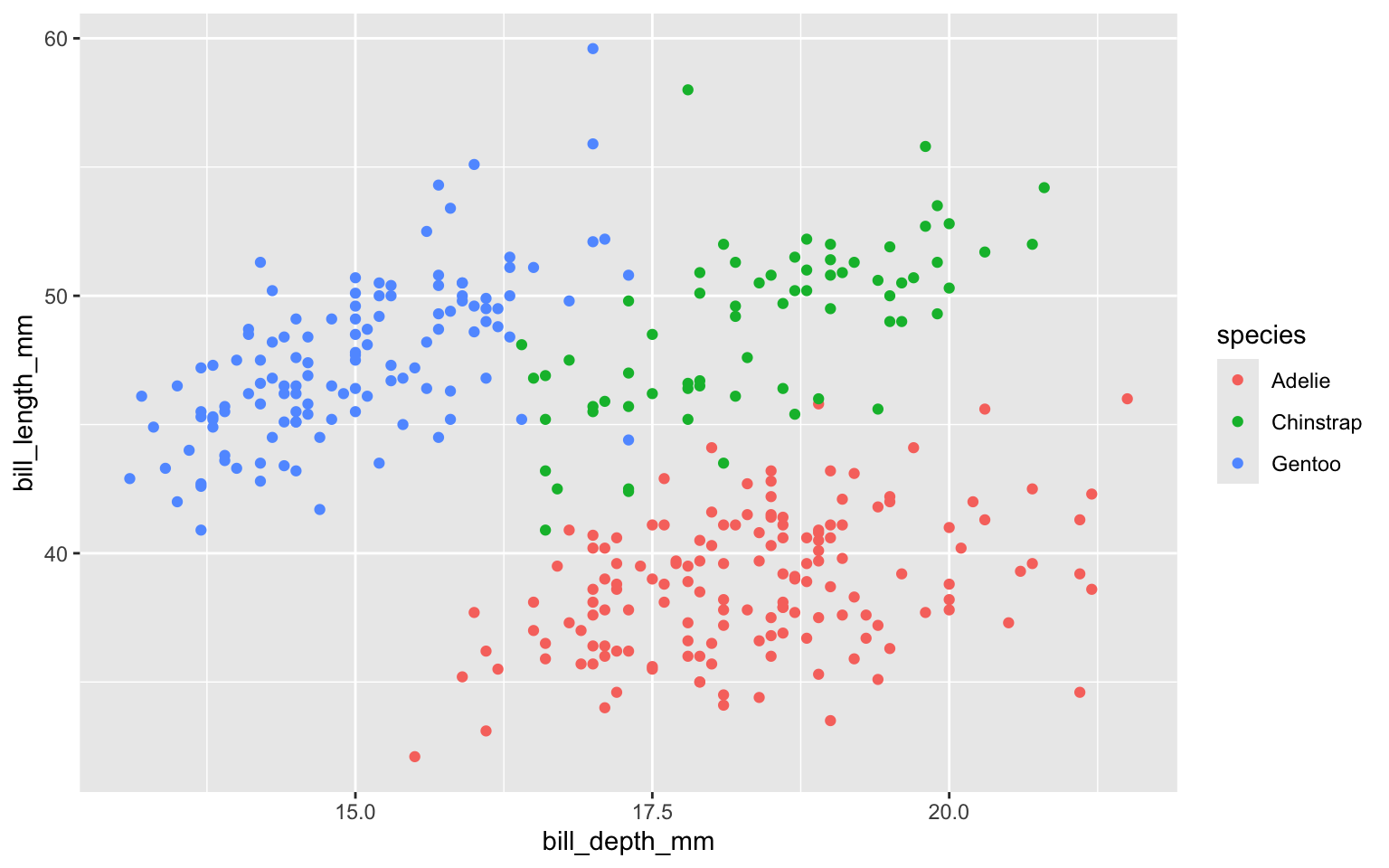
ggplot(data = penguins,
       mapping = aes(x = bill_depth_mm,
                     y = bill_length_mm,
                     color = species)) + 
  geom_point()

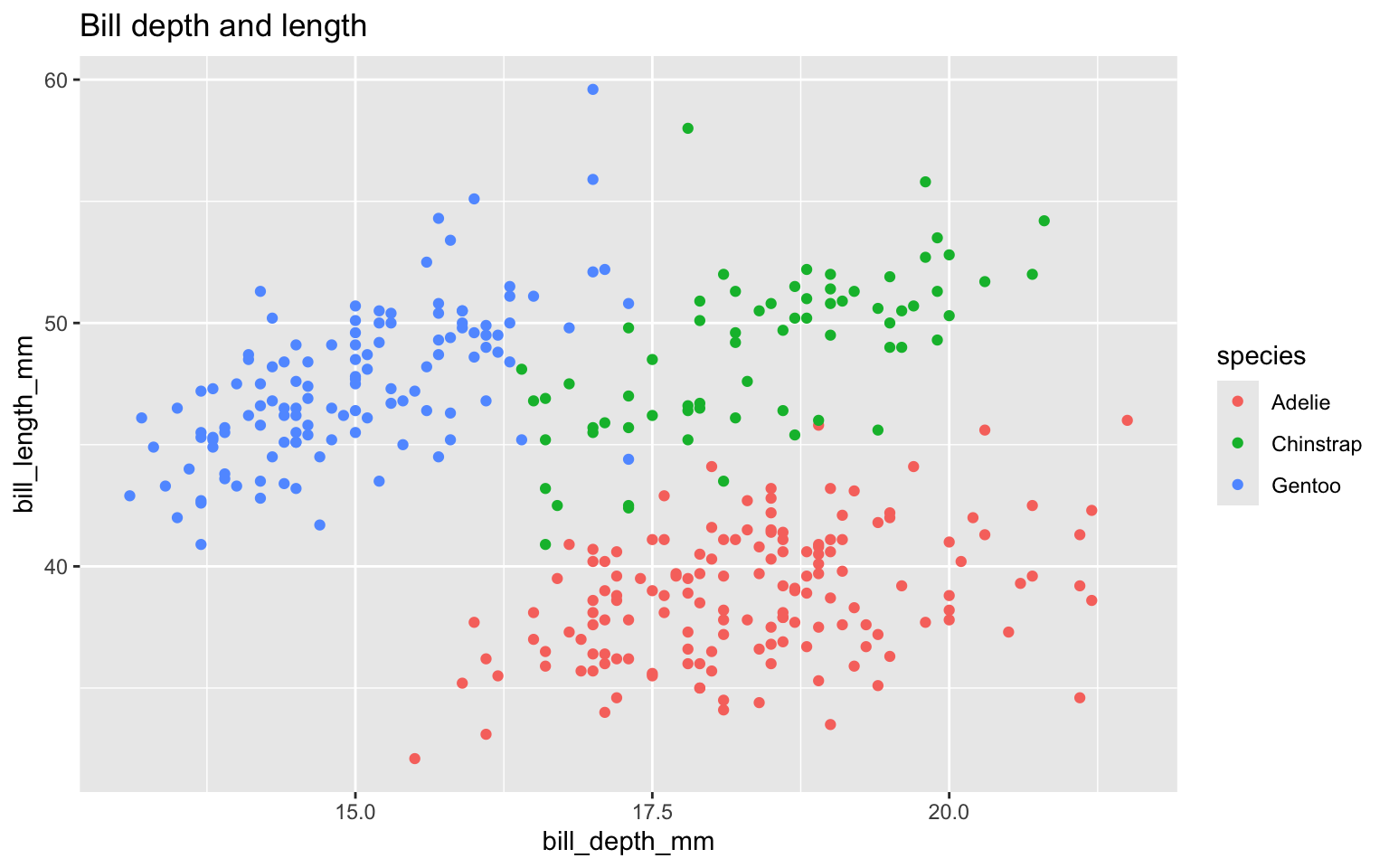
Title the plot

ggplot(data = penguins,
       mapping = aes(x = bill_depth_mm,
                     y = bill_length_mm,
                     color = species)) +
  geom_point() +
  labs(title = "Bill depth and length") 

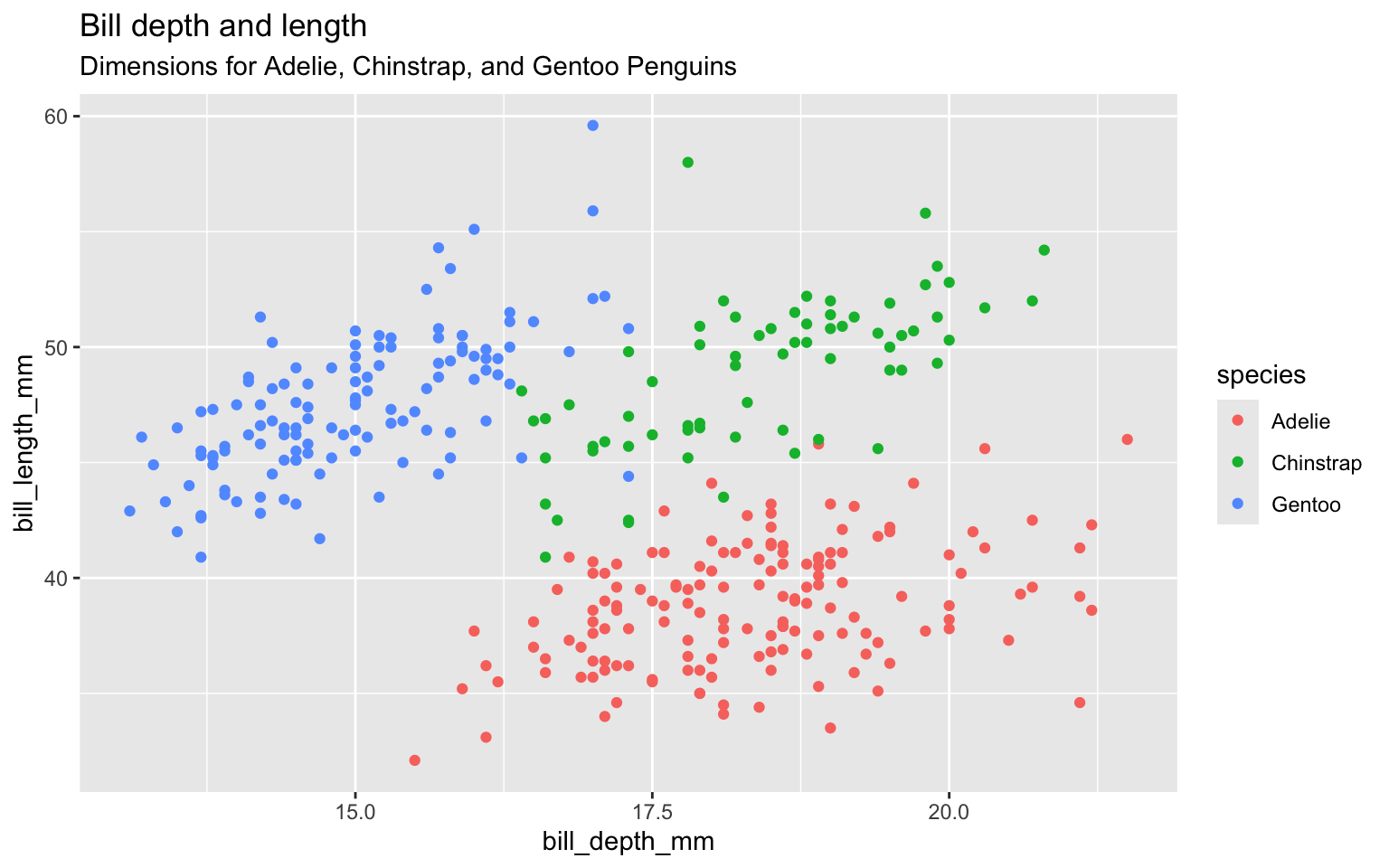
Add the subtitle

ggplot(data = penguins,
       mapping = aes(x = bill_depth_mm,
                     y = bill_length_mm,
                     color = species)) +
  geom_point() +
  labs(title = "Bill depth and length",
       subtitle = "Dimensions for Adelie, Chinstrap, and Gentoo Penguins") 

Clarify the graphic by labeling the x and y axes
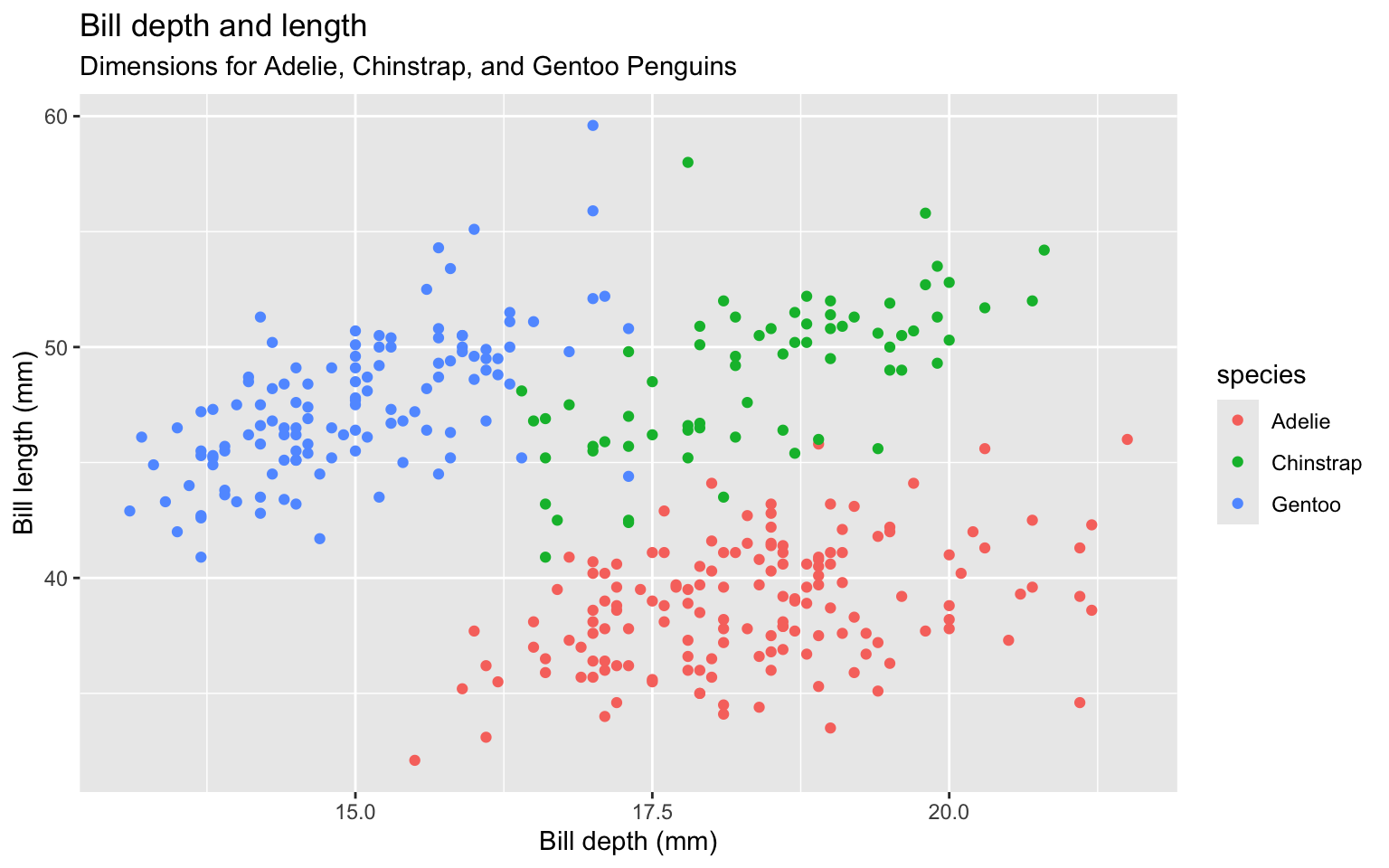
ggplot(data = penguins,
       mapping = aes(x = bill_depth_mm,
                     y = bill_length_mm,
                     color = species)) +
  geom_point() +
  labs(title = "Bill depth and length",
       subtitle = "Dimensions for Adelie, Chinstrap, and Gentoo Penguins",
       x = "Bill depth (mm)", y = "Bill length (mm)") 

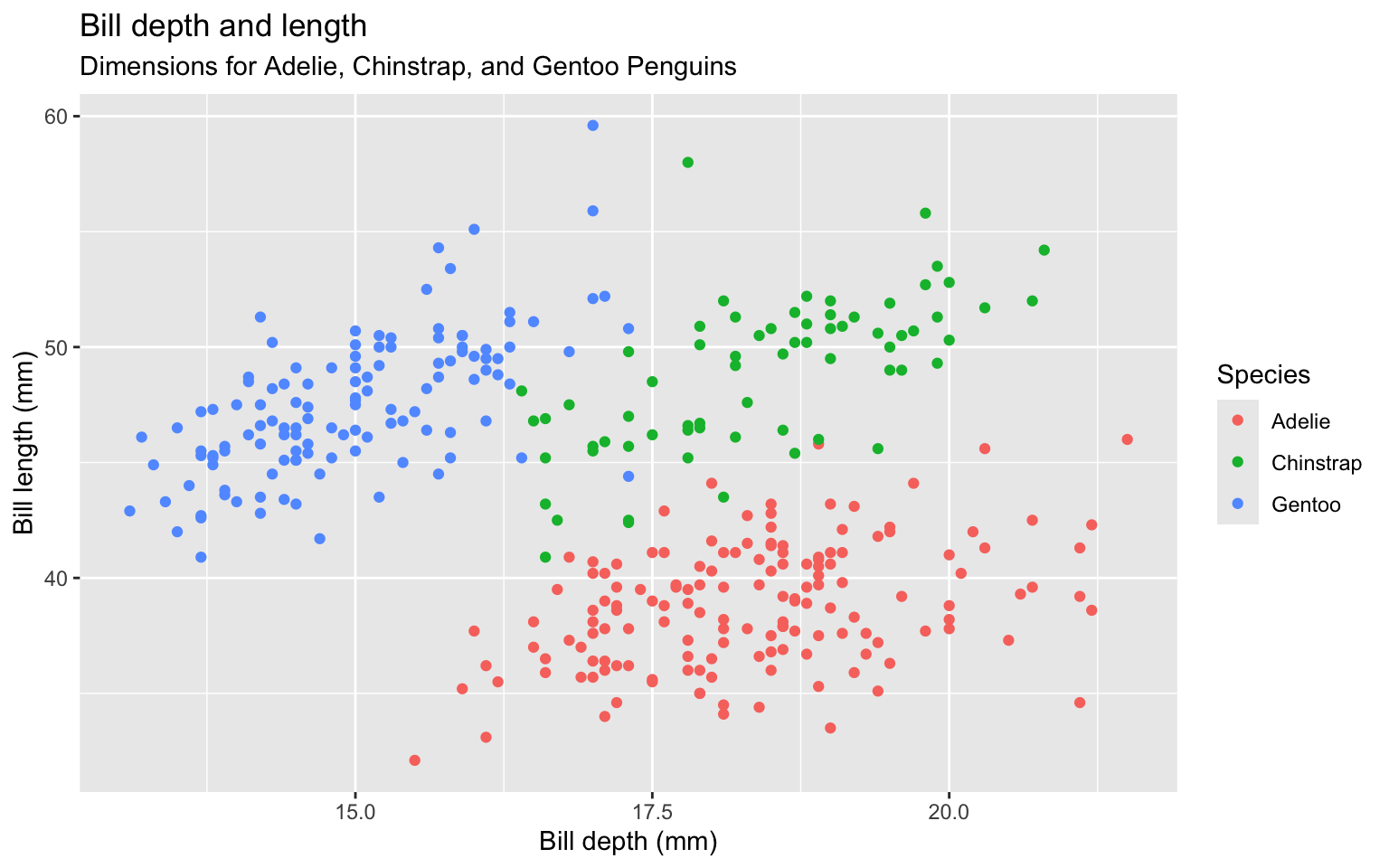
Label legend “Species” instead of using column name
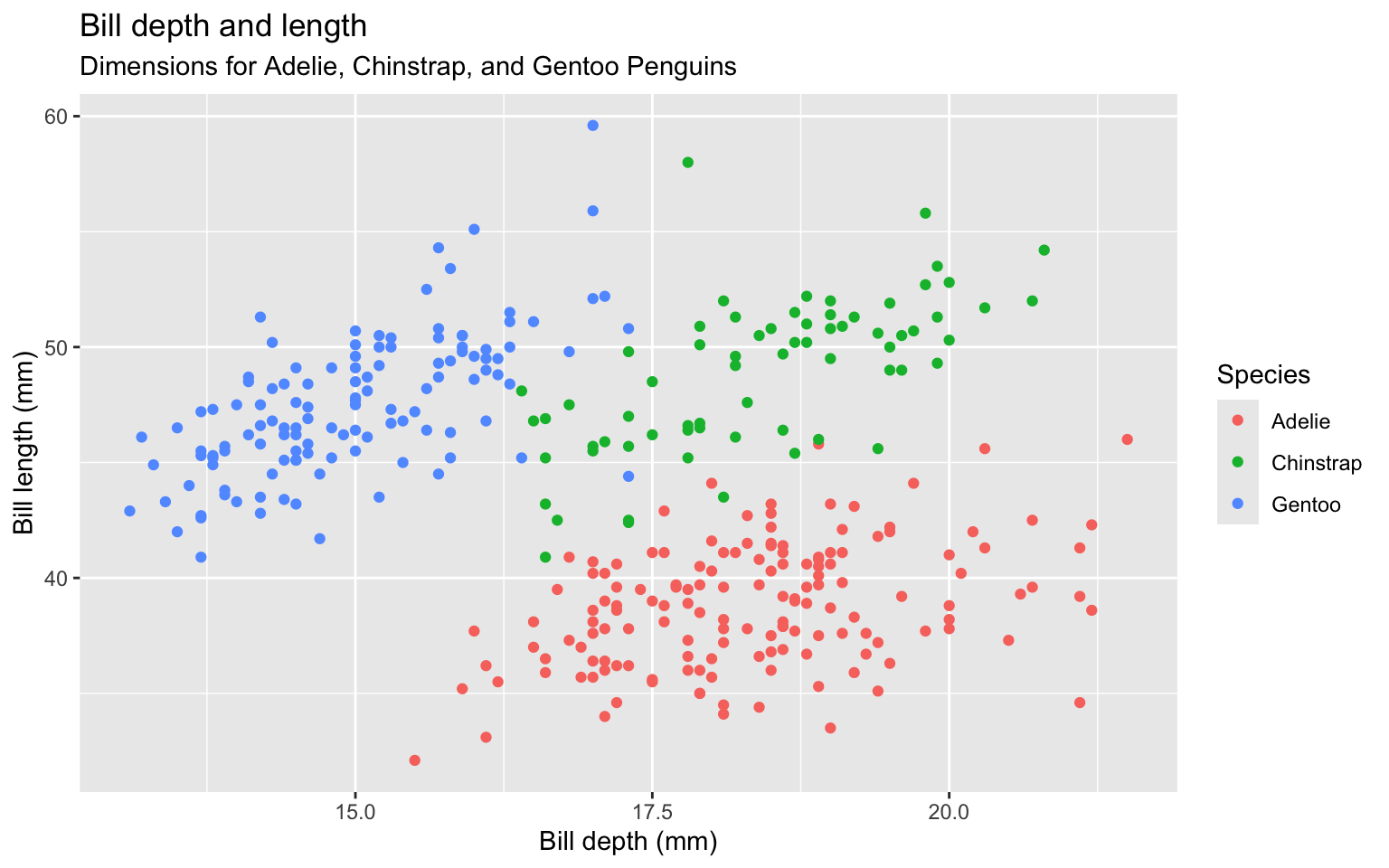
ggplot(data = penguins,
       mapping = aes(x = bill_depth_mm,
                     y = bill_length_mm,
                     colour = species)) +
  geom_point() +
  labs(title = "Bill depth and length",
       subtitle = "Dimensions for Adelie, Chinstrap, and Gentoo Penguins",
       x = "Bill depth (mm)", y = "Bill length (mm)",
       colour = "Species") 

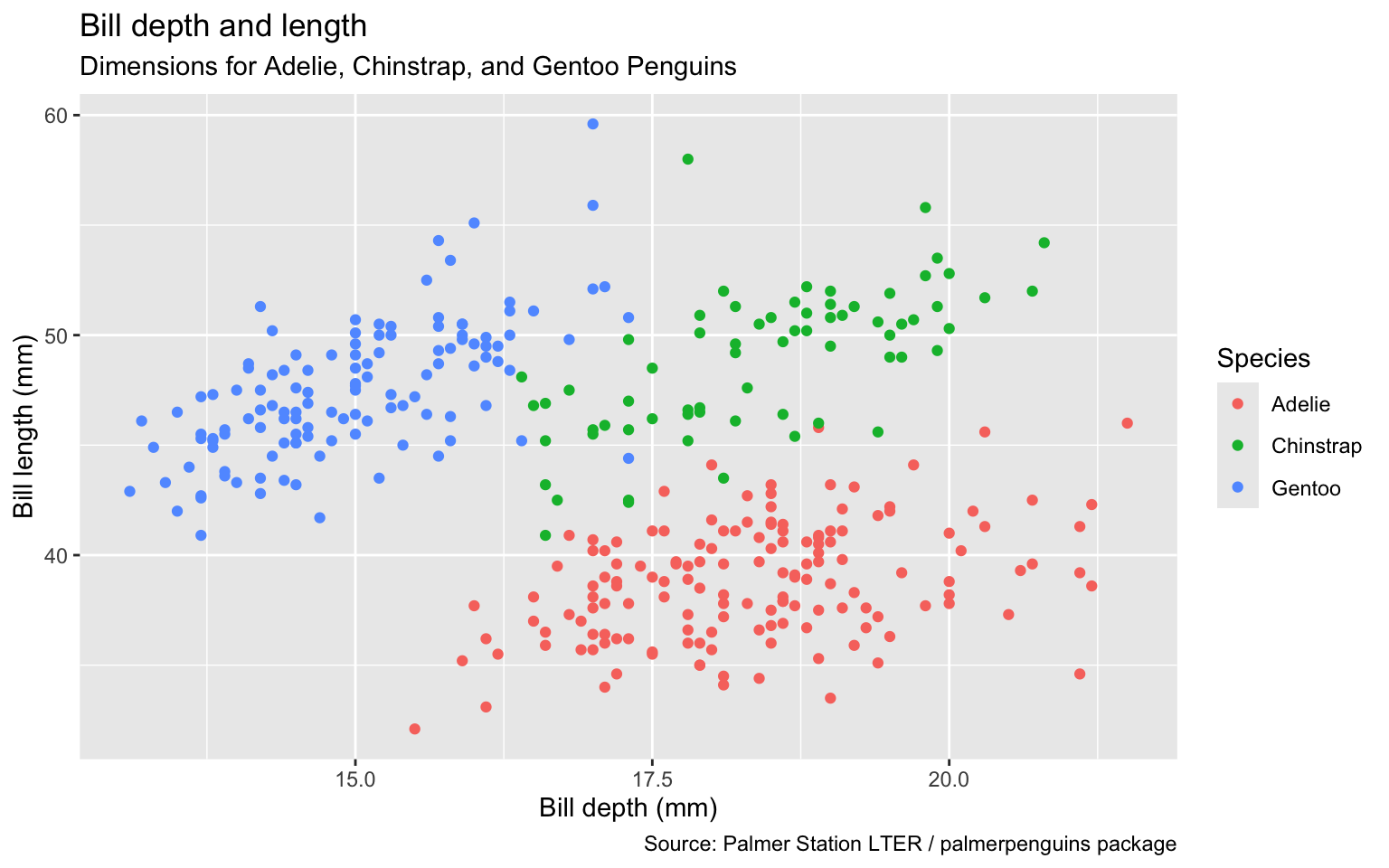
Add a caption for the data source.

ggplot(data = penguins,
       mapping = aes(x = bill_depth_mm,
                     y = bill_length_mm,
                     colour = species)) +
  geom_point() +
  labs(title = "Bill depth and length",
       subtitle = "Dimensions for Adelie, Chinstrap, and Gentoo Penguins",
       x = "Bill depth (mm)", y = "Bill length (mm)",
       colour = "Species",
       caption = "Source: Palmer Station LTER / palmerpenguins package") 
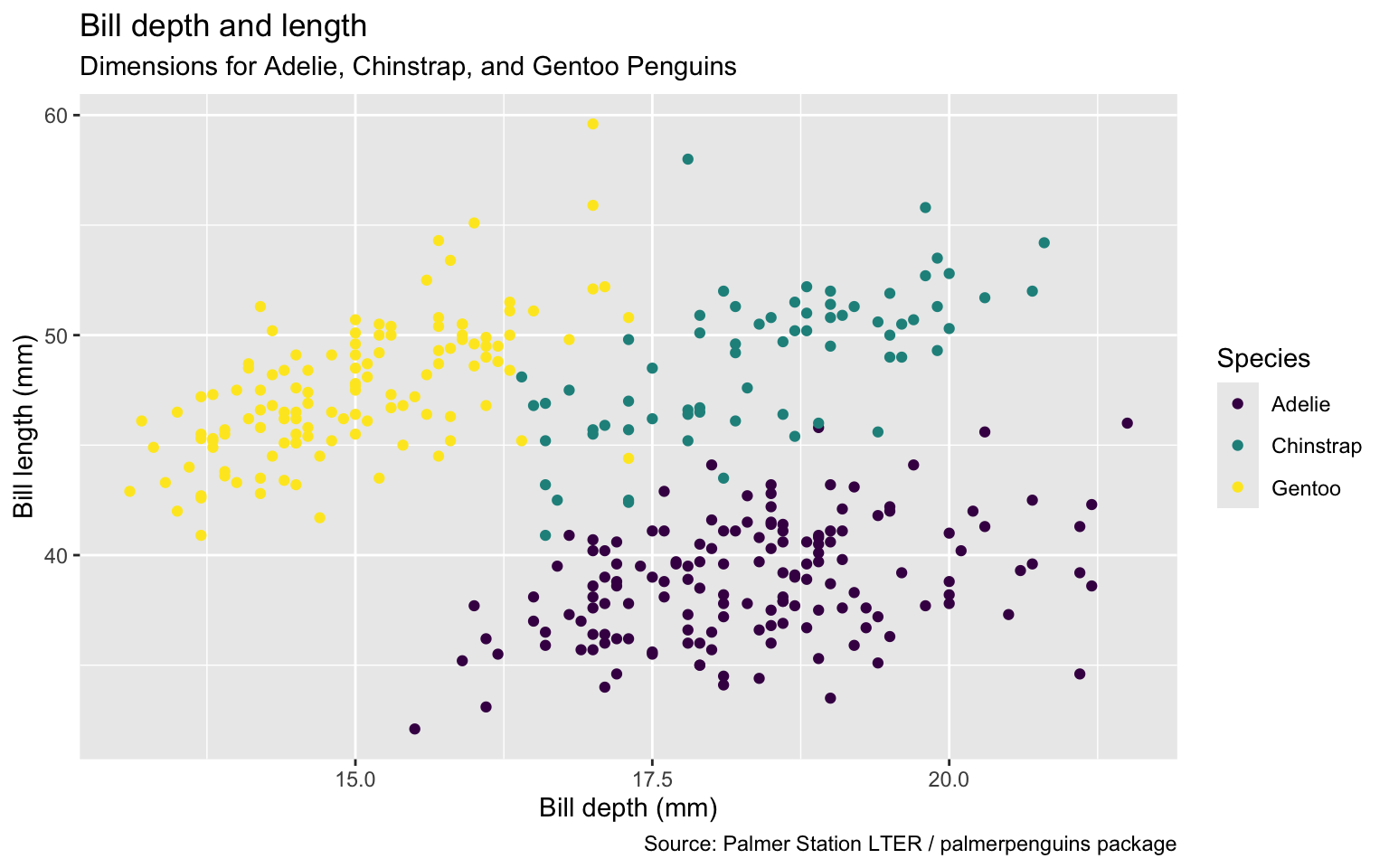
Use color scale designed to be perceived by viewers with common forms of color blindness.

ggplot(data = penguins,
       mapping = aes(x = bill_depth_mm,
                     y = bill_length_mm,
                     color = species)) +
  geom_point() +
  labs(title = "Bill depth and length",
       subtitle = "Dimensions for Adelie, Chinstrap, and Gentoo Penguins",
       x = "Bill depth (mm)", y = "Bill length (mm)",
       color = "Species",
       caption = "Source: Palmer Station LTER / palmerpenguins package") +
  scale_colour_viridis_d() 
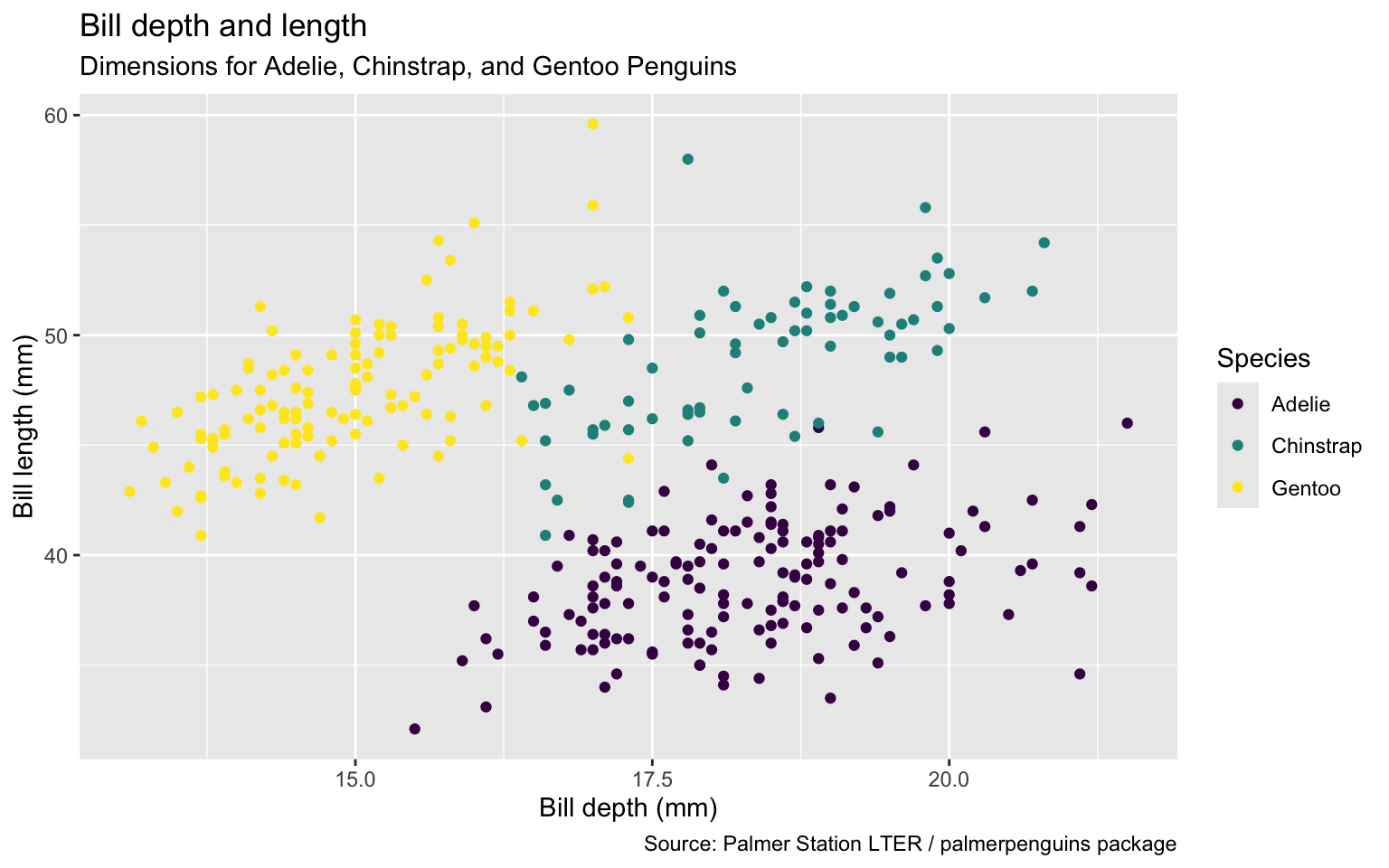
Remove argument names

ggplot(penguins,
       aes(x = bill_depth_mm,
                     y = bill_length_mm,
                     color = species)) +
  geom_point() +
  labs(title = "Bill depth and length",
       subtitle = "Dimensions for Adelie, Chinstrap, and Gentoo Penguins",
       x = "Bill depth (mm)", y = "Bill length (mm)",
       color = "Species",
       caption = "Source: Palmer Station LTER / palmerpenguins package") +
  scale_colour_viridis_d() 
Map shapes to a different variable than we map color to. Two legends for color setting and shape setting.
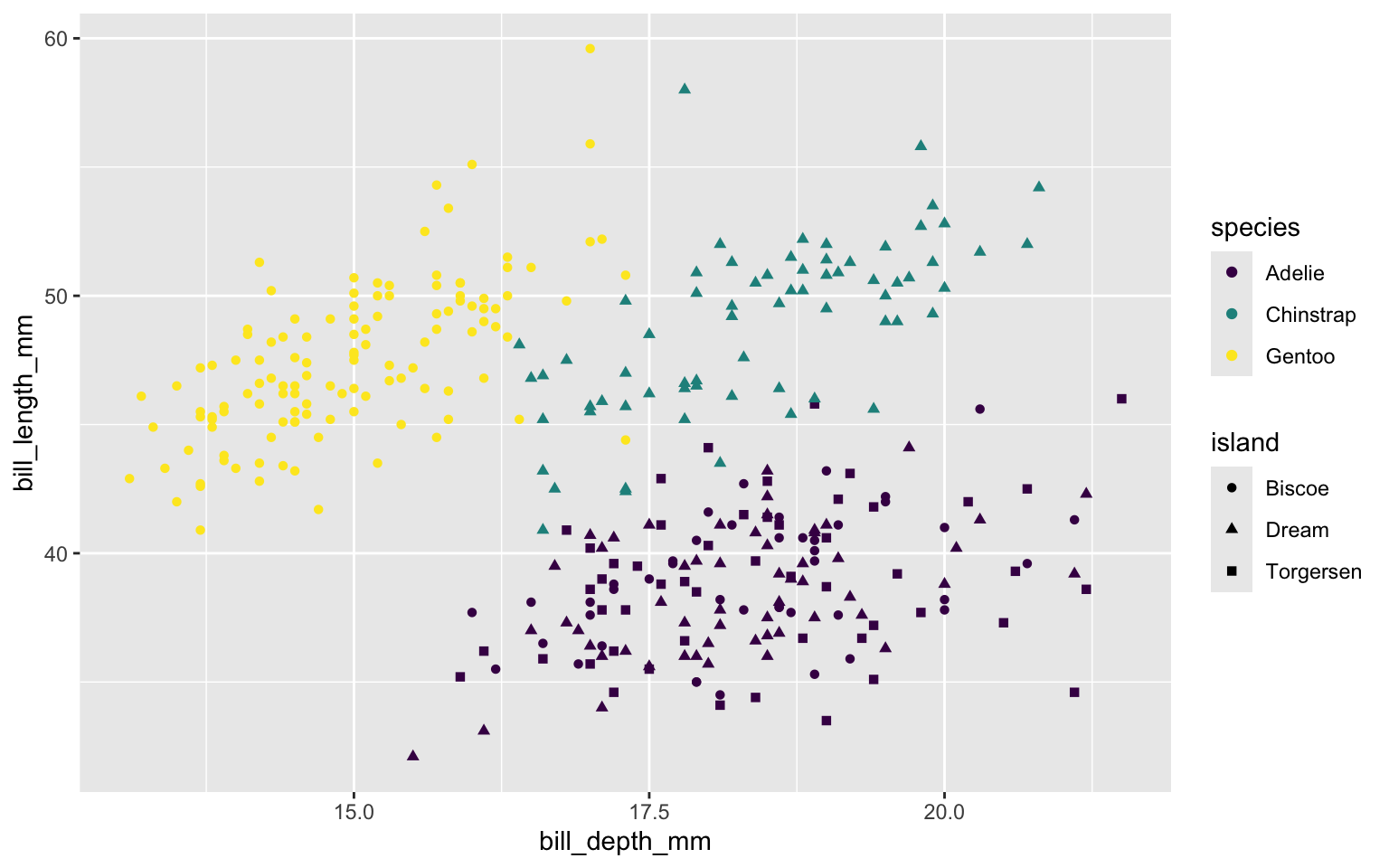
ggplot(penguins,
       aes(x = bill_depth_mm, 
           y = bill_length_mm,
           color = species,
           shape = island)) + 
  geom_point() +
  scale_colour_viridis_d()

Map shape to same variable as color. Only one legend.
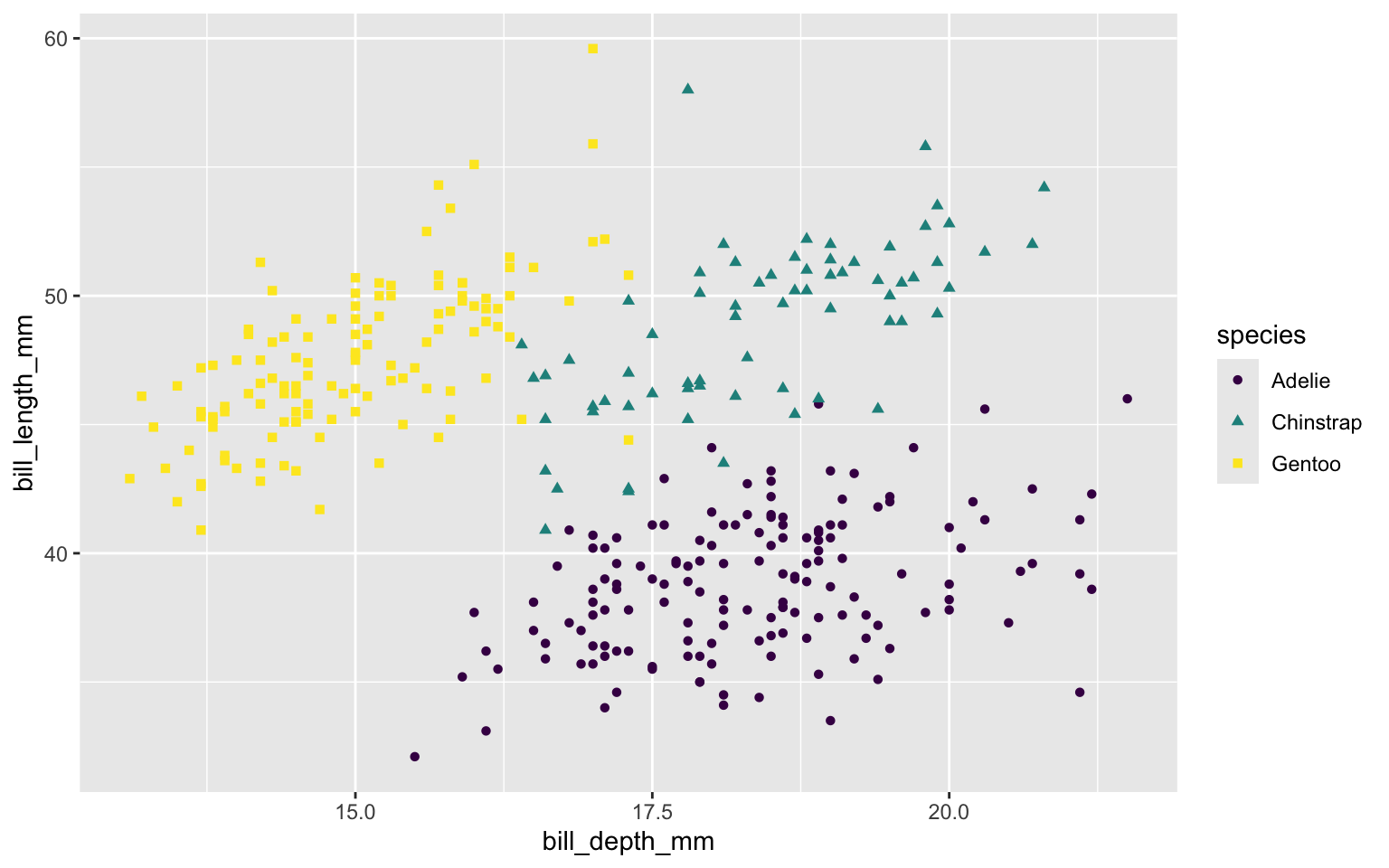
ggplot(penguins,
       aes(x = bill_depth_mm, 
           y = bill_length_mm,
           colour = species,
           shape = species)) + 
  geom_point() +
  scale_colour_viridis_d()

Scale size of marker based on body mass of each penguin.
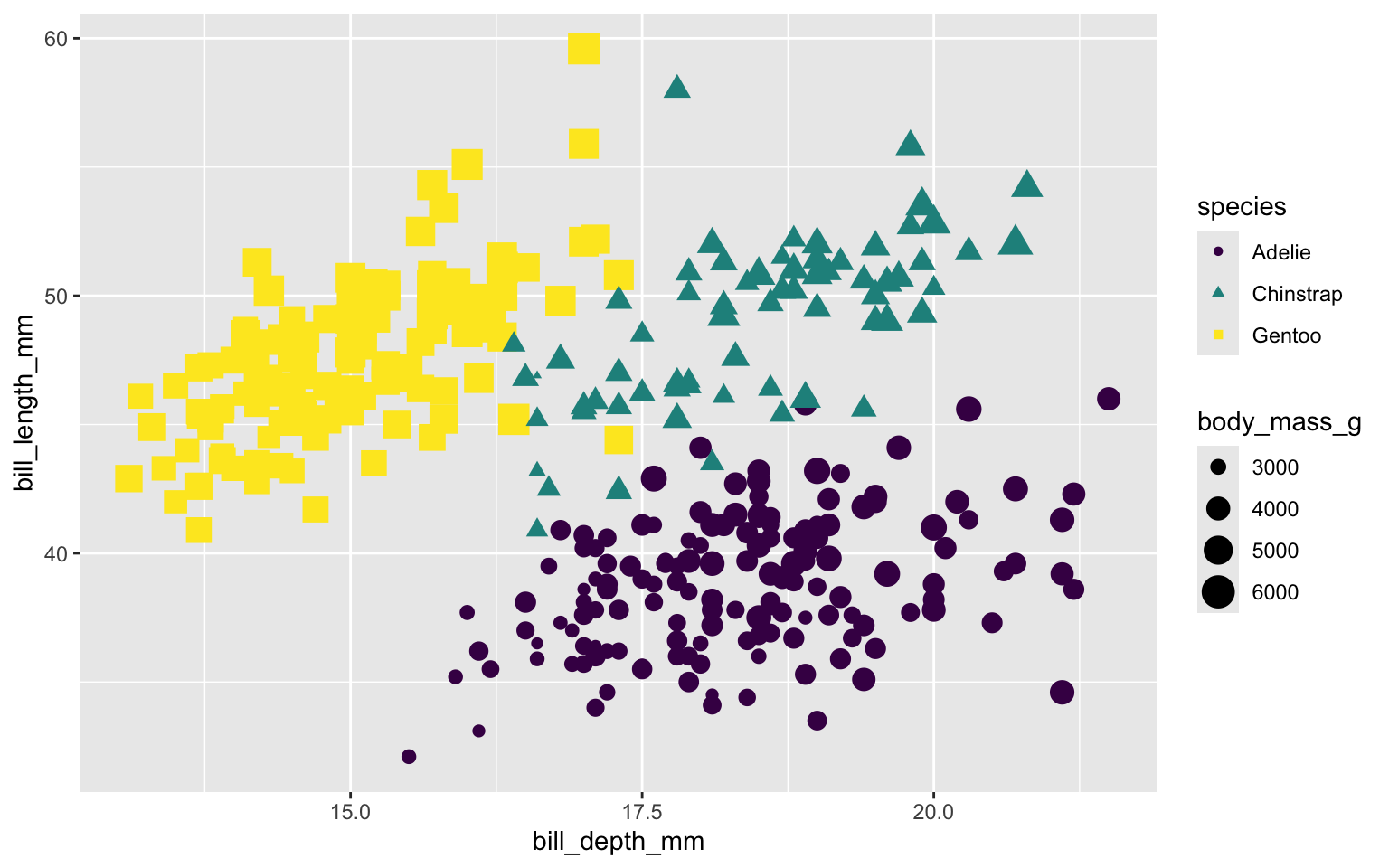
ggplot(penguins,
       aes(x = bill_depth_mm, 
           y = bill_length_mm,
           colour = species,
           shape = species,
           size = body_mass_g)) + 
  geom_point() +
  scale_colour_viridis_d()

Use flipper length to control transparency of each marker – longer flipper length => darker marker
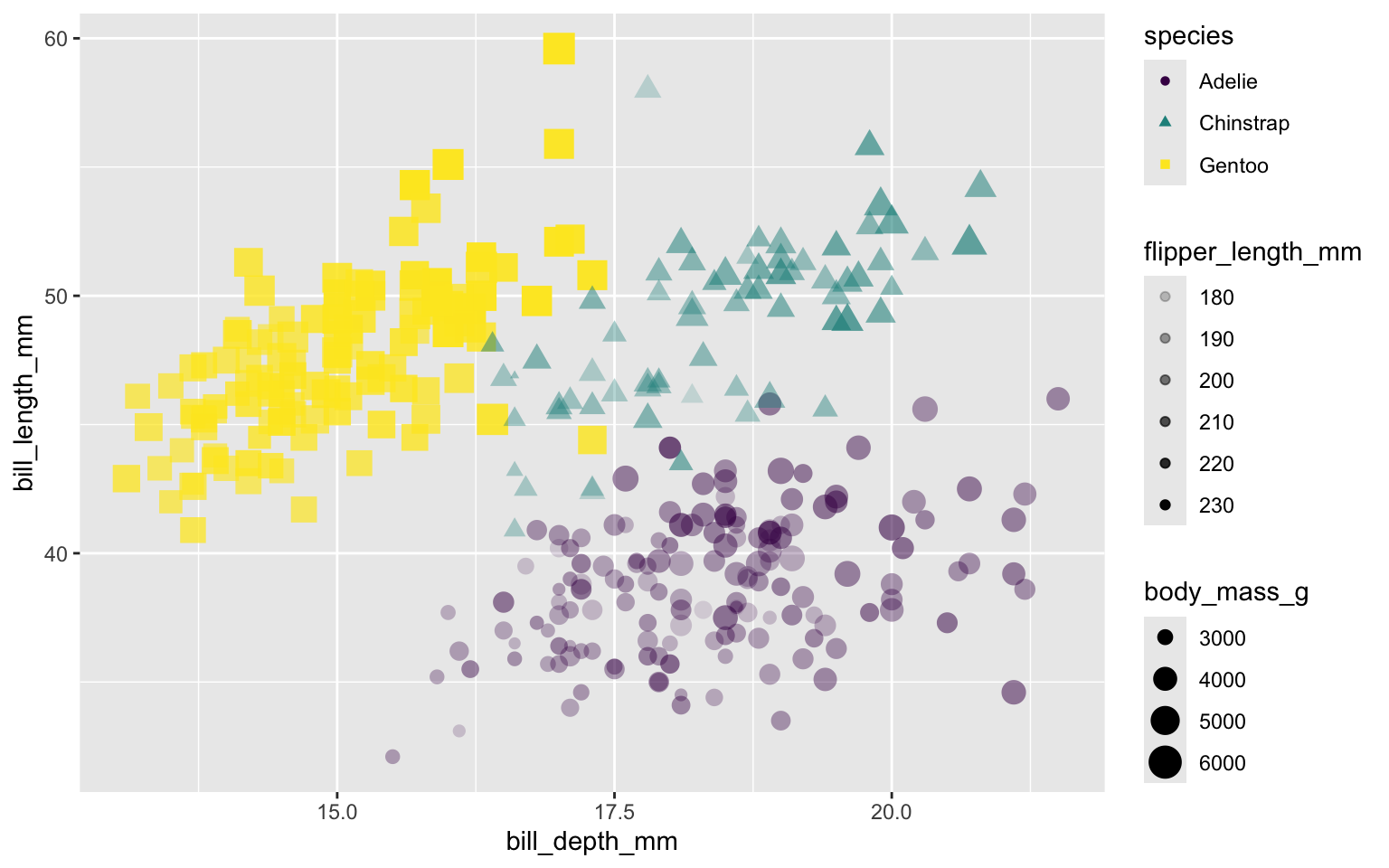
ggplot(penguins,
       aes(x = bill_depth_mm, 
           y = bill_length_mm,
           colour = species,
           shape = species,
           size = body_mass_g,
           alpha = flipper_length_mm)) + 
  geom_point() +
  scale_colour_viridis_d()

Put size and alpha in Mapping, make them dependent on two variables in the data set.
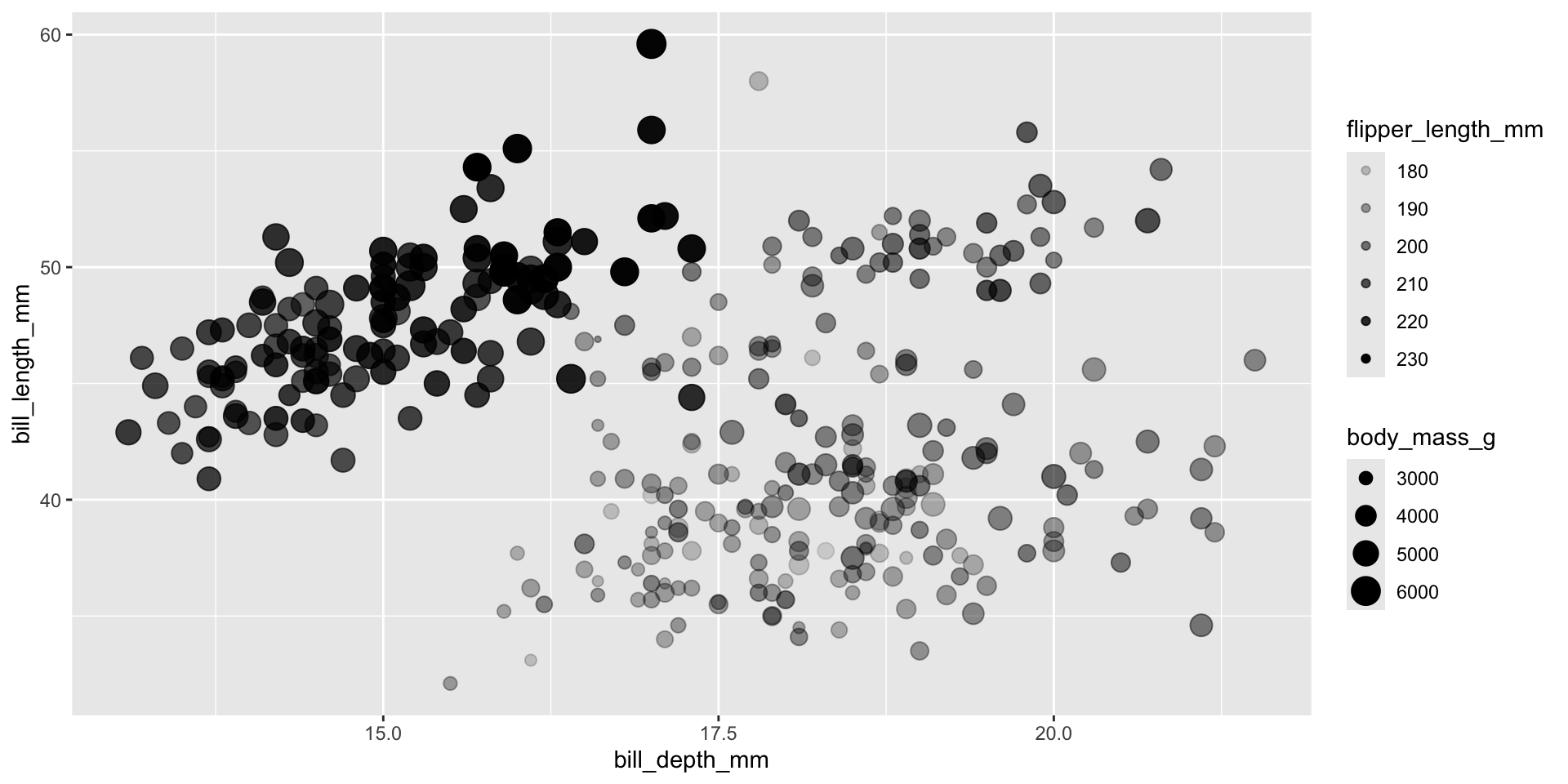
ggplot(penguins,
       aes(x = bill_depth_mm,
           y = bill_length_mm,
           size = body_mass_g, 
           alpha = flipper_length_mm)) + 
  geom_point()

Put size and alpha into a setting instead of in the mapping
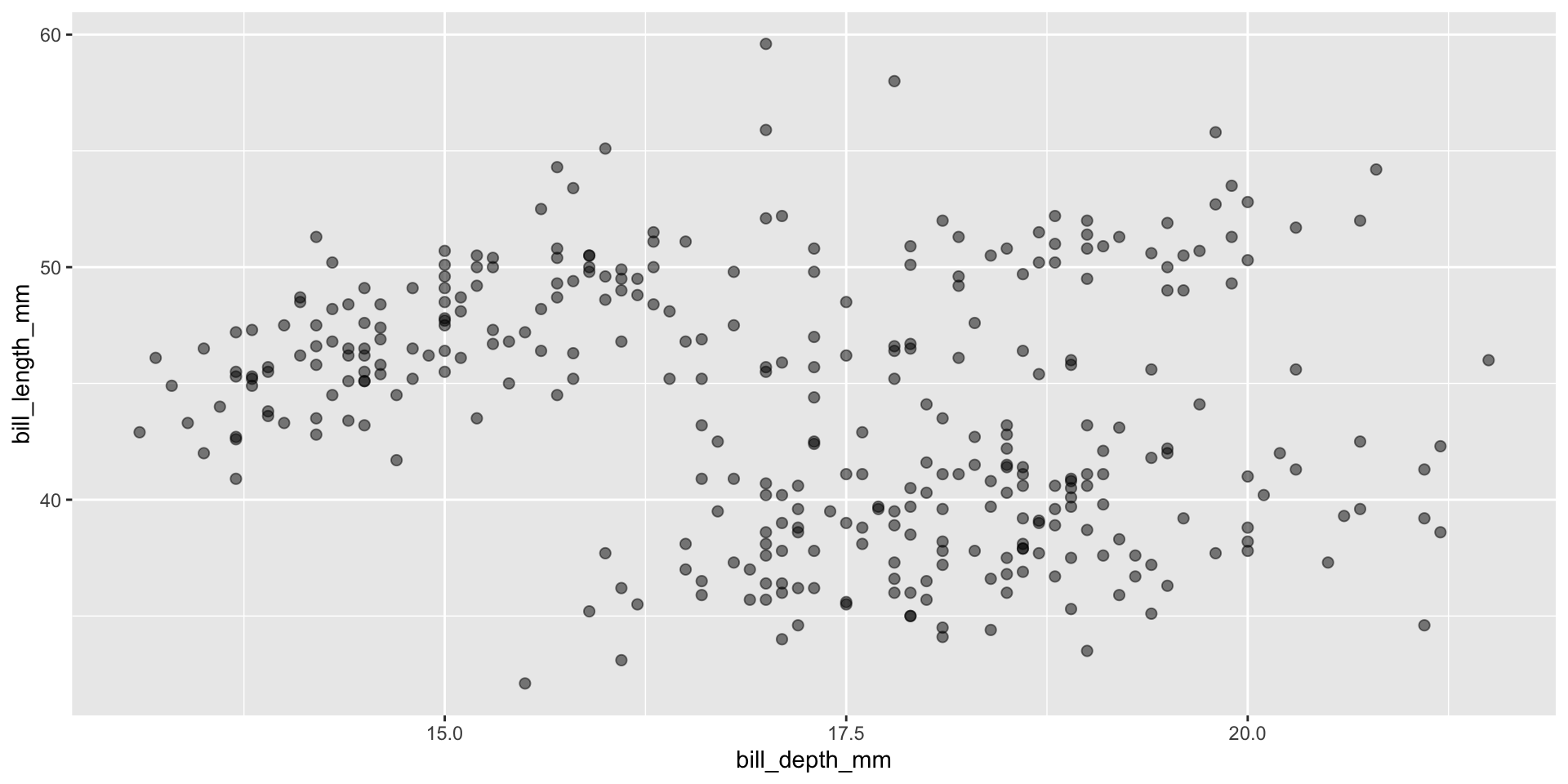
ggplot(penguins,
         aes(x = bill_depth_mm,
             y = bill_length_mm)) + 
    geom_point(size = 2, alpha = 0.5) 

Reminder: faceting

  • Small plots that display subsets of the data
  • Useful for exploring conditional relationship
  • Useful for exploring large datasets
  • Can get complex, fast

Facet example 1

Facet the plot into a grid organized by species versus island
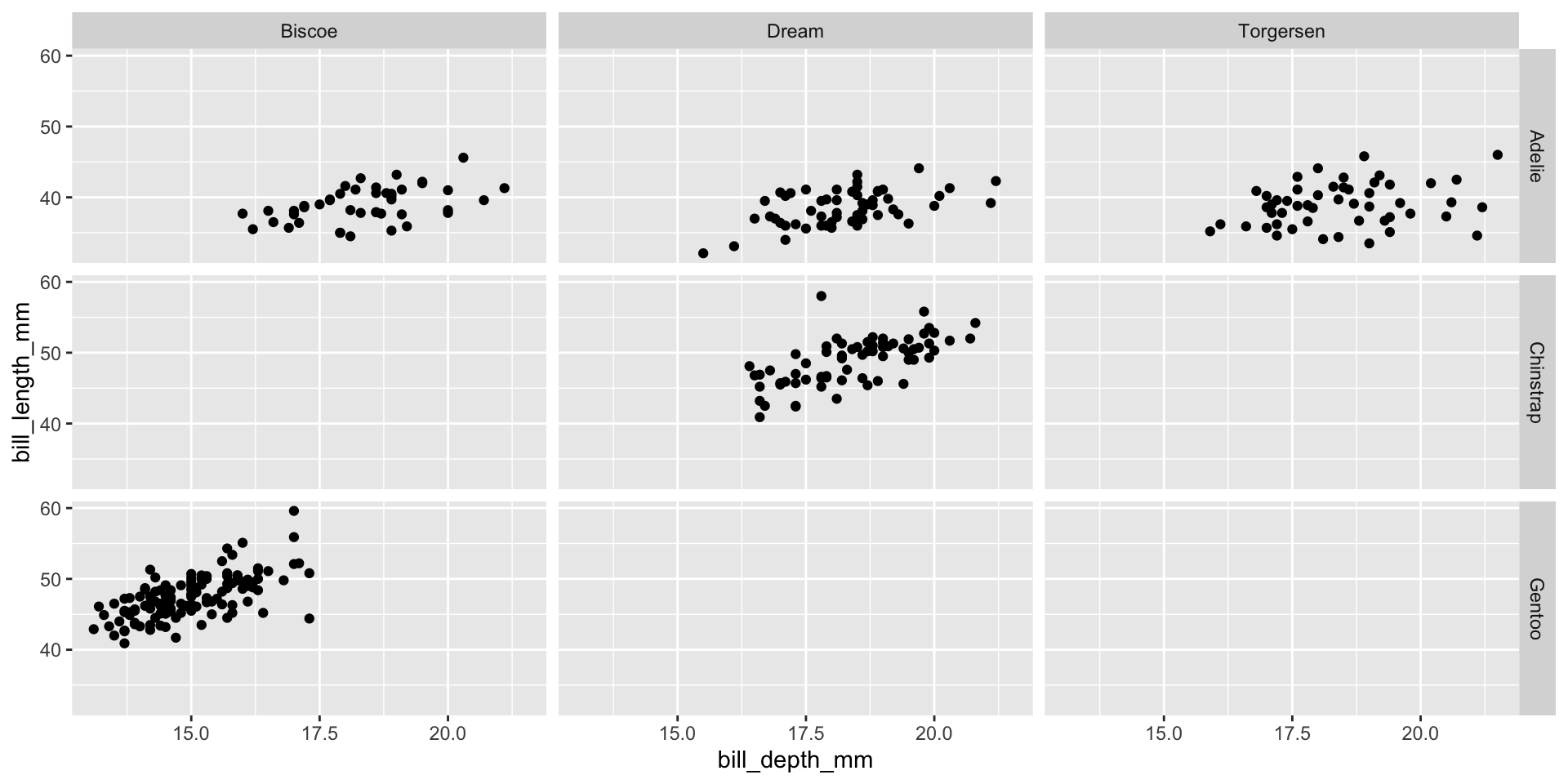
ggplot(penguins, aes(x = bill_depth_mm, y = bill_length_mm)) + 
  geom_point() +
  facet_grid(species ~ island)

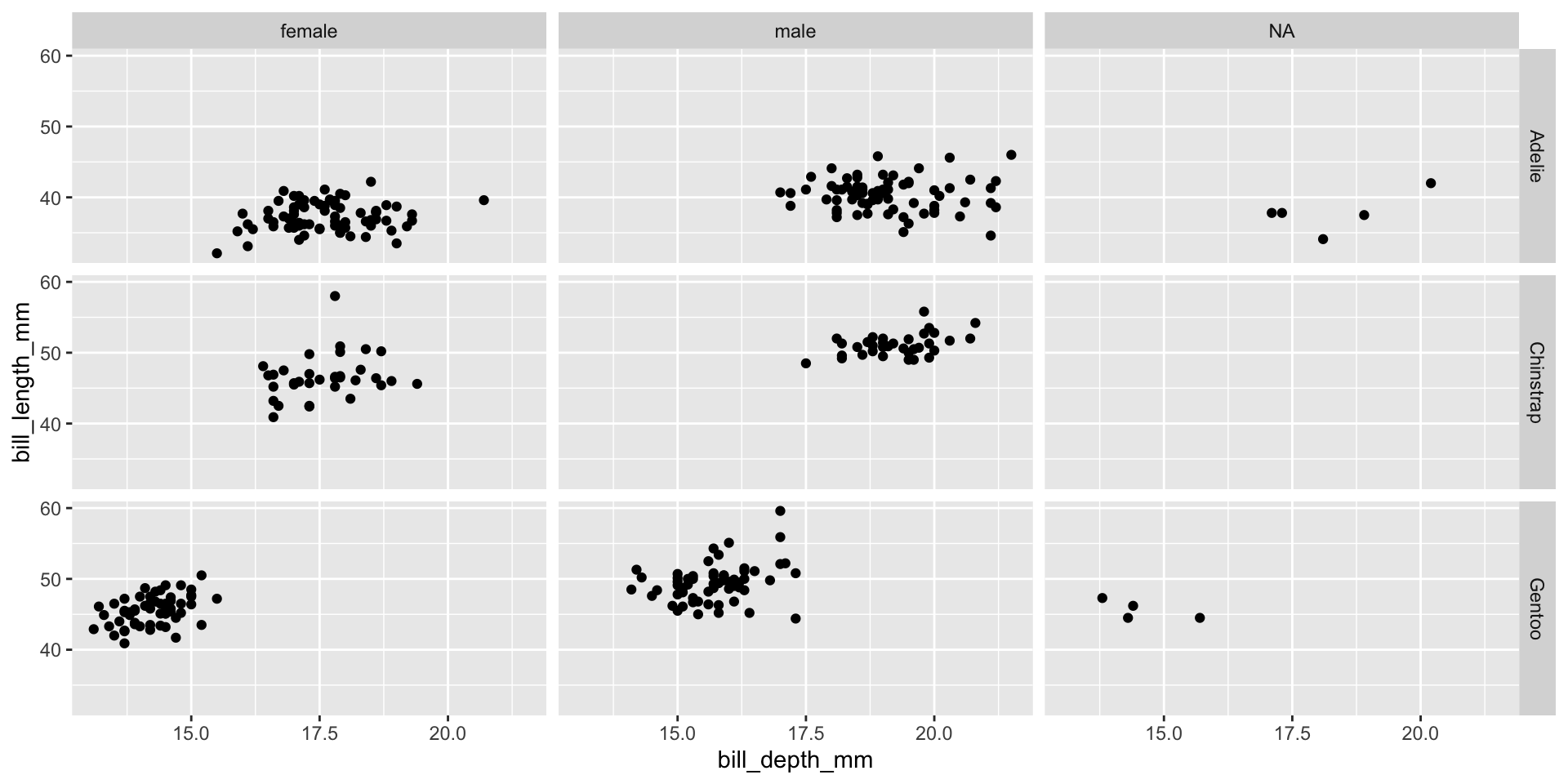
Facet example 2

ggplot(penguins, aes(x = bill_depth_mm, y = bill_length_mm)) + 
  geom_point() +
  facet_grid(species ~ sex)

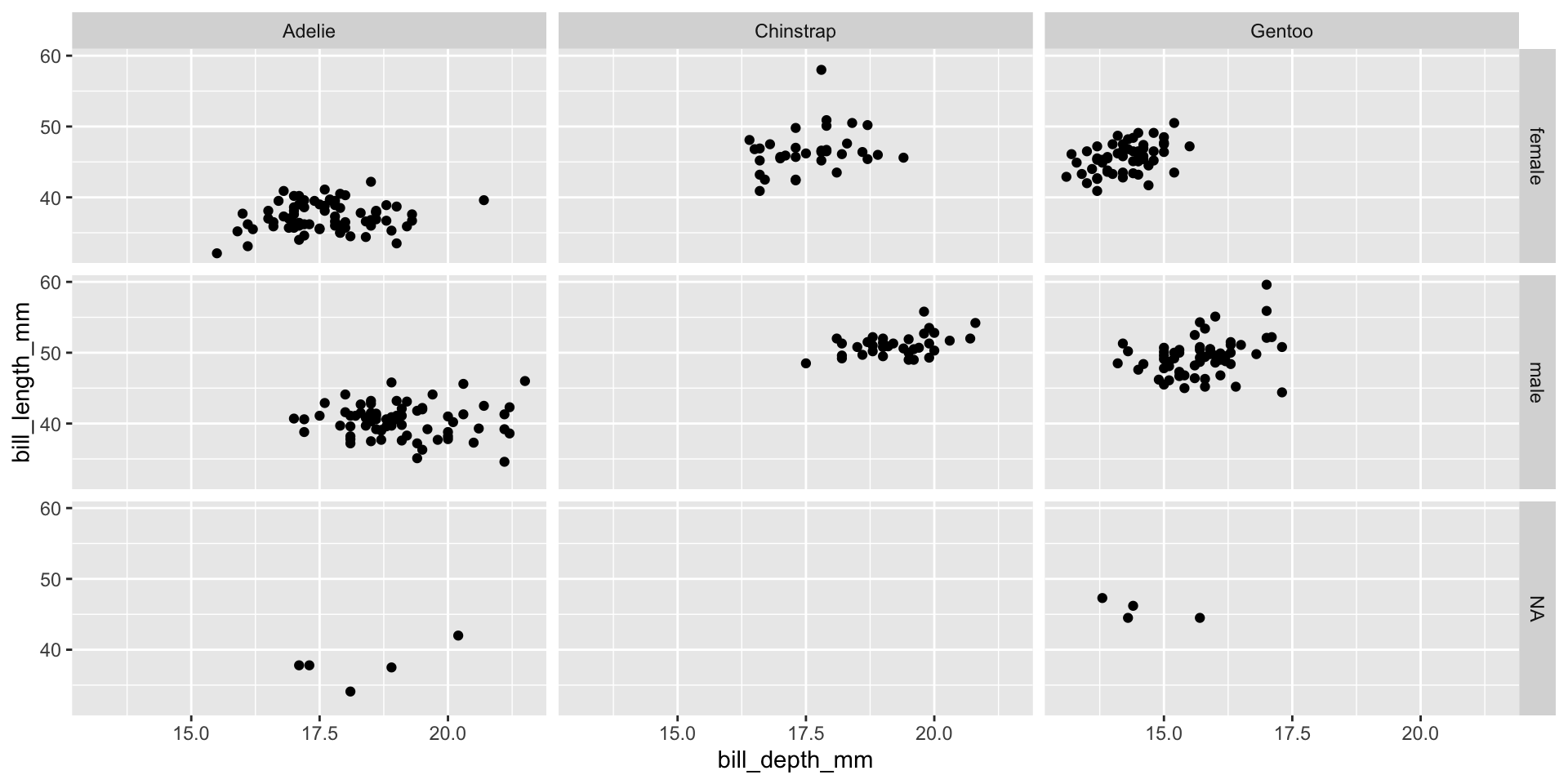
Facet example 3

ggplot(penguins, aes(x = bill_depth_mm, y = bill_length_mm)) + 
  geom_point() + 
  facet_grid(sex ~ species)

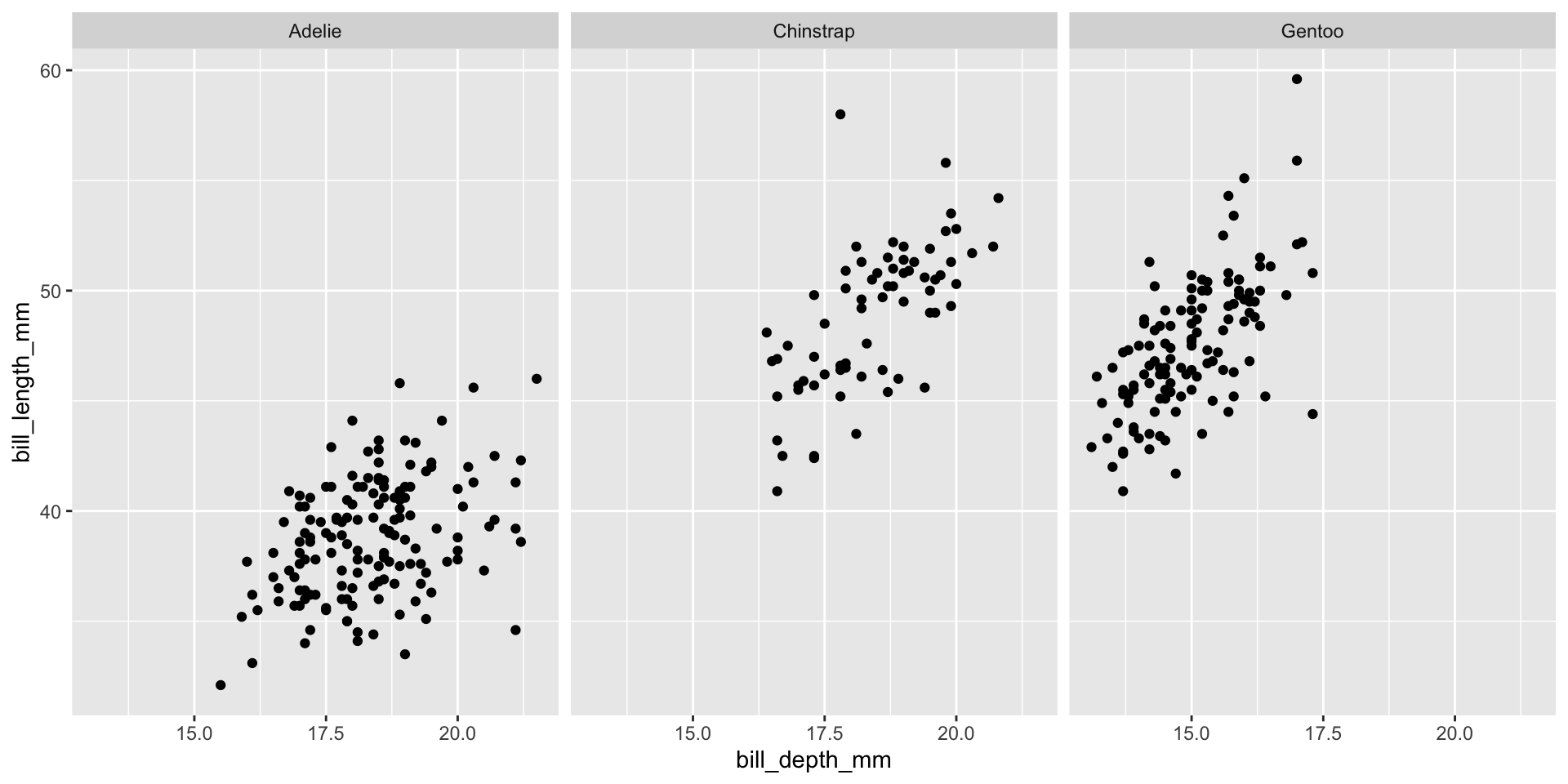
Facet example 4

ggplot(penguins, aes(x = bill_depth_mm, y = bill_length_mm)) + 
  geom_point() +
  facet_wrap(~ species)

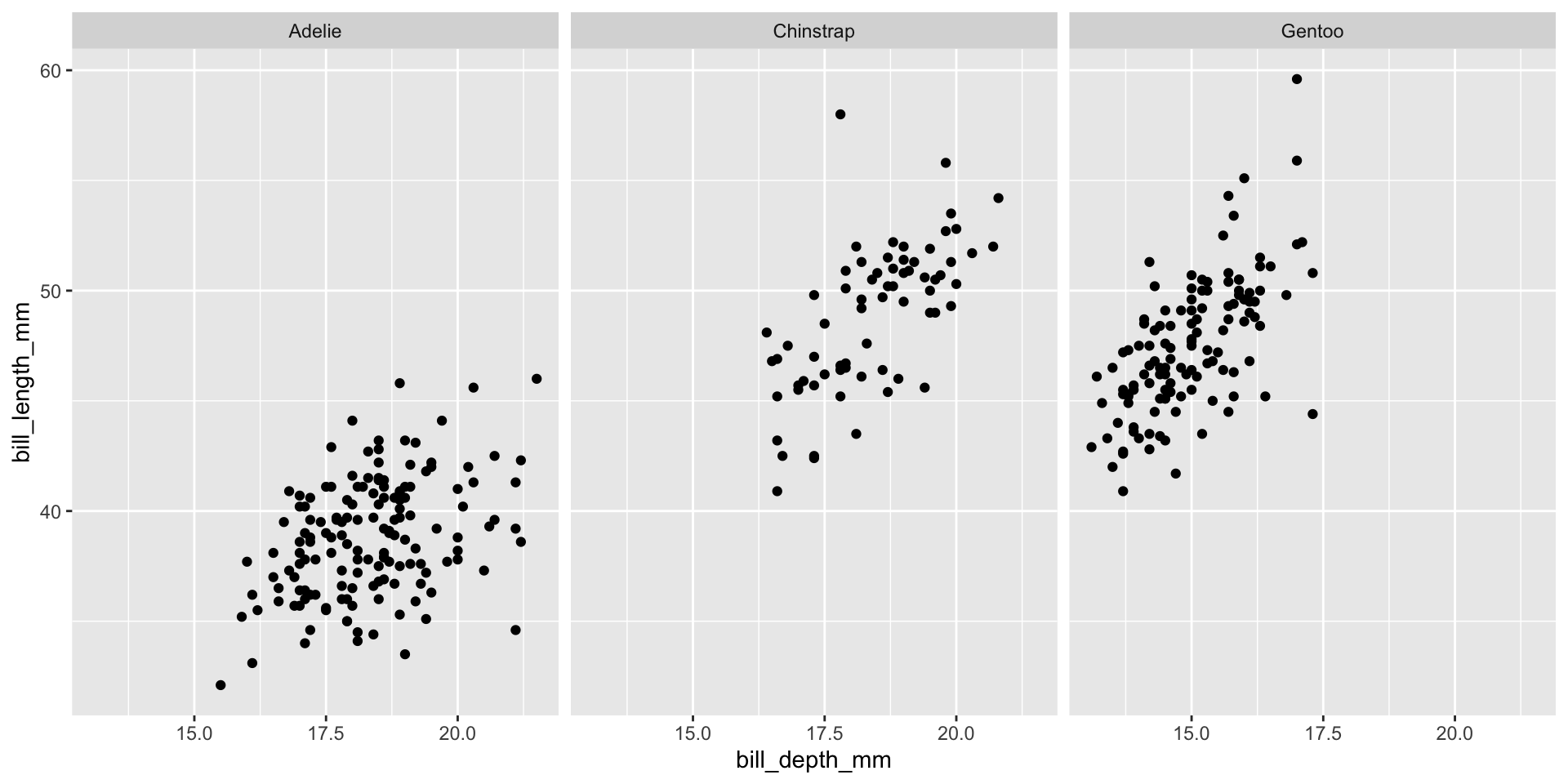
Facet example 5

ggplot(penguins, aes(x = bill_depth_mm, y = bill_length_mm)) + 
  geom_point() +
  facet_grid(. ~ species)

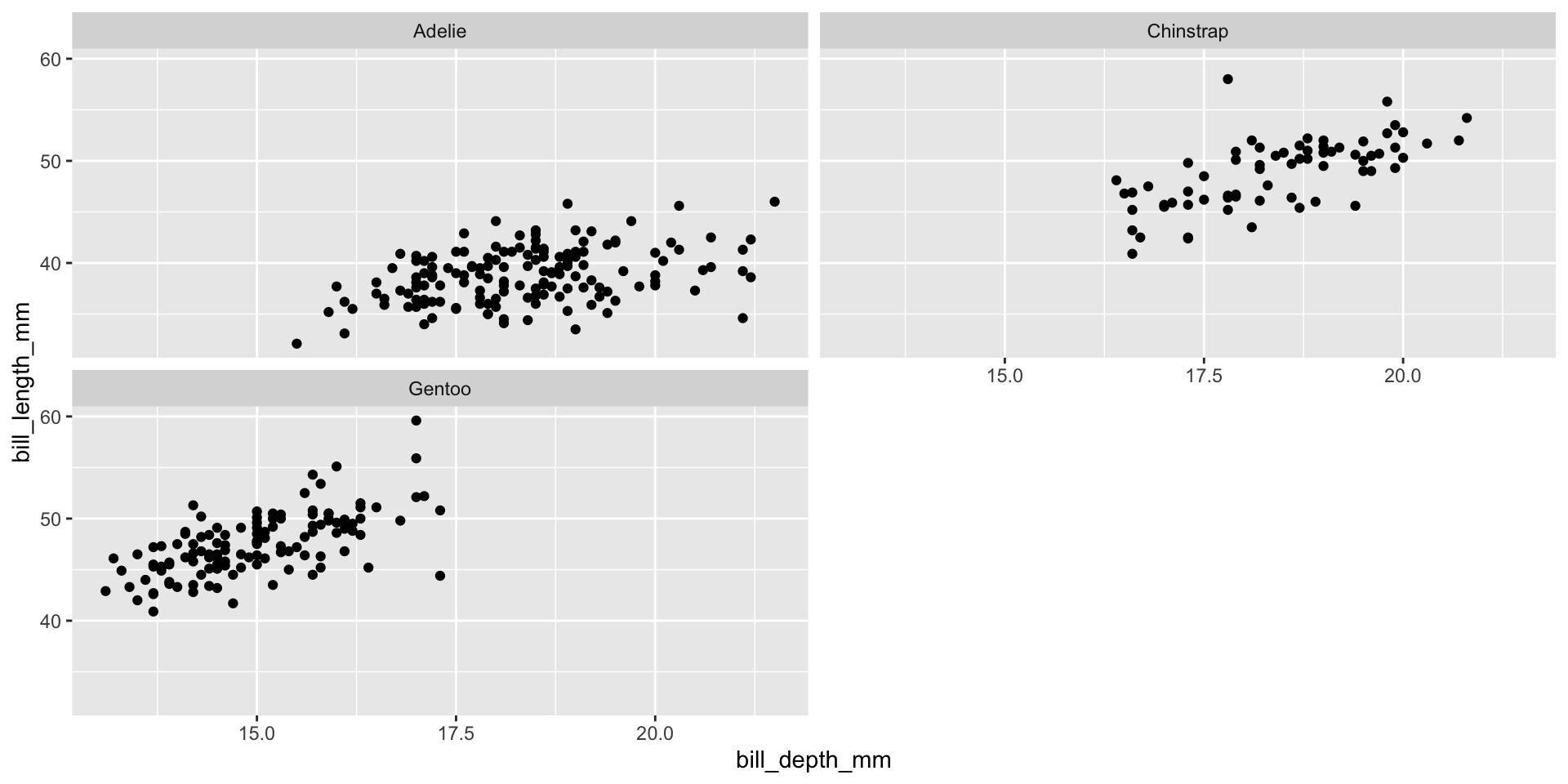
Facet example 6

ggplot(penguins, aes(x = bill_depth_mm, y = bill_length_mm)) + 
  geom_point() +
  facet_wrap(~ species, ncol = 2)

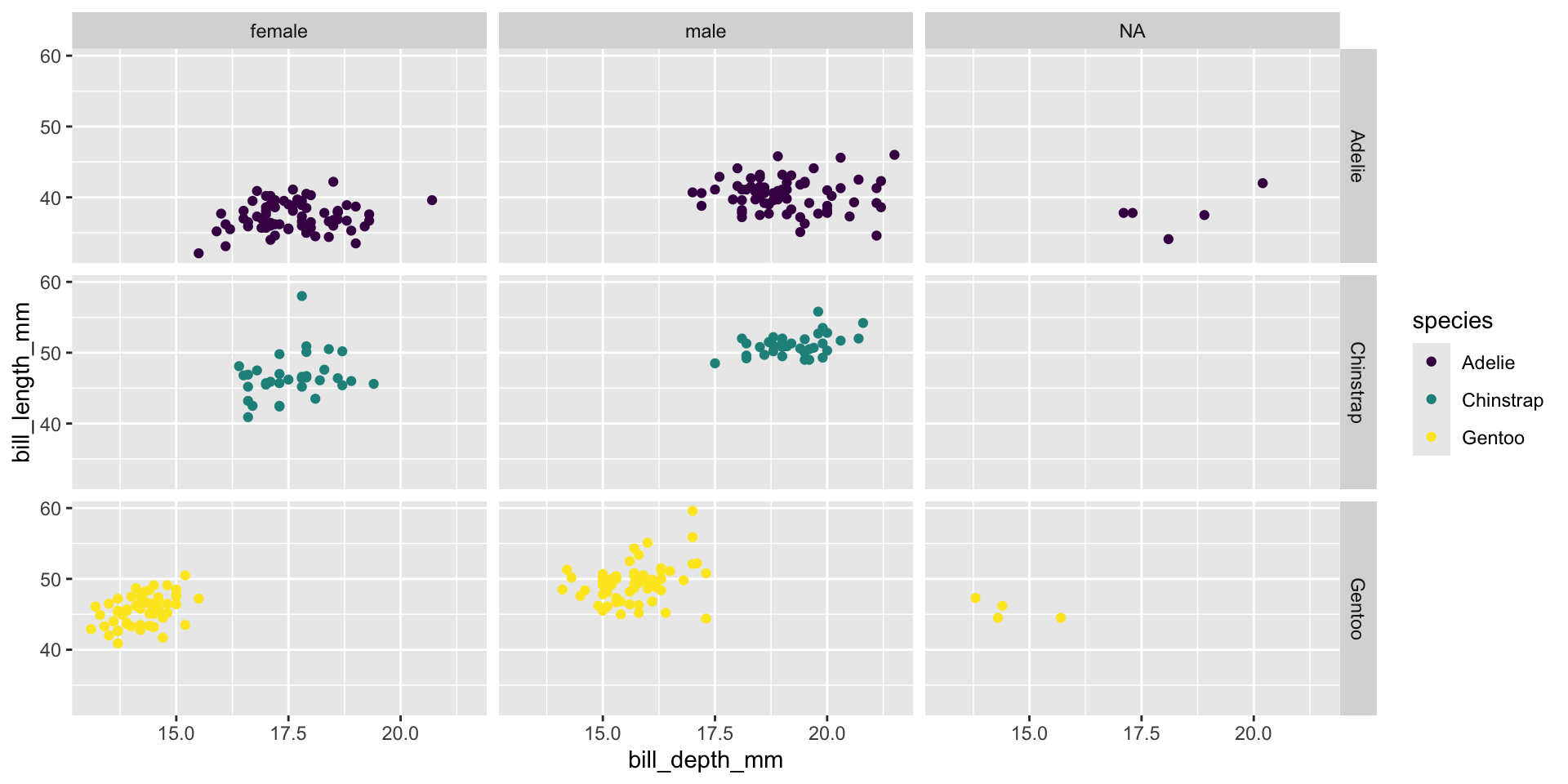
Facet and color

ggplot(penguins,
       aes(x = bill_depth_mm, y = bill_length_mm, color = species)) +
  geom_point() +
  facet_grid(species ~ sex) +
  scale_color_viridis_d()

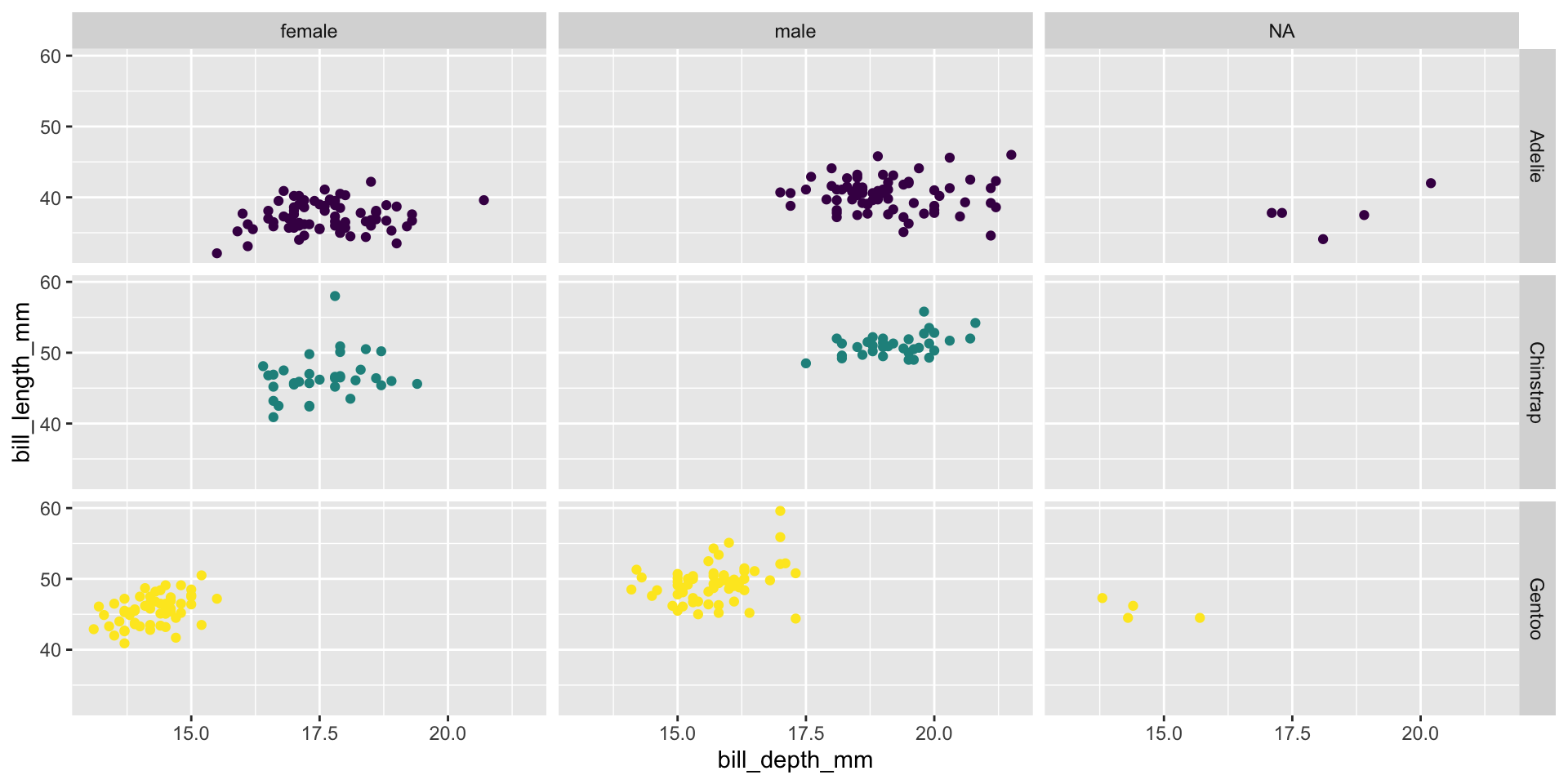
Facet and color, no legend

ggplot(penguins,
       aes(x = bill_depth_mm, y = bill_length_mm, color = species)) +
  geom_point() +
  facet_grid(species ~ sex) +
  scale_color_viridis_d() +
  guides(color = "none")

Faceting summary

  • facet_grid():
    • 2d grid
    • rows ~ cols
    • use . for no split
  • facet_wrap():
    • 1d ribbon wrapped according to number of rows and columns specified or the available plotting area